
Messages

Messages resource is the main entry point for sending messages. You have to specify a channel and contact to deliver the message.
The structure of JSON body is the same for all the channels. However, not all message types are supported by all channels.
List Messages
Section titled “List Messages”Response Body Params
| Parameter | Type | Description |
|---|---|---|
| id | string | Id of the message. |
| direction | string | Specifies if the message has been received or sent: received, sent. |
| sent | string | Iso 8601 Timestamp - time when the message was sent. |
| delivered | string | Iso 8601 Timestamp - time when the message was delivered. null means that it hasn’t been delivered yet. |
| read | string | Iso 8601 Timestamp - time when the message was read. null means that it hasn’t been read yet. |
| channel | object | Channel in which the message was sent or received. |
| contact | object | Message belongs to a contact. |
| content | object | Content of the message. |
GET https://api.amio.io/v1/channels/{channel_id}/contacts/{contact_id}/messages
Parameters
| Name | In | Type | Required | Description |
|---|---|---|---|---|
channel_id |
path | string | yes | Id of the channel. |
contact_id |
path | string | yes | Id of the contact. |
max |
query | integer | Maximum number of messages to be listed. Values larger than 100 are accepted but the list will never contain more than 100 messages. (default is 10) Default: 10. |
|
offset |
query | integer | Offset of the starting position in the message list. Default: 0. |
|
since |
query | string | Allows filtering messages by date. Must be in ISO 8601 format. | |
before |
query | string | Allows filtering messages by date. Must be in ISO 8601 format. |
Response 200
[ { "id": "6456078996108088196", "direction": "sent", "sent": "2018-02-06T19:15:38.860Z", "delivered": null, "read": null, "channel": { "id": "6456078759331238786", "type": "{{CHANNEL_TYPE}}" }, "contact": { "id": "6456078781510718339" }, "content": { "payload": "{{CONTENT_TYPE}}", "type": "{{CONTENT_PAYLOAD}}" } }]Send Message
Section titled “Send Message”Response Body Params
| Parameter | Type | Description |
|---|---|---|
| id | string | Id of the message. |
POST https://api.amio.io/v1/messages
Request body
| Parameter | Type | Required | Description |
|---|---|---|---|
channel |
object | ||
channel.id |
string | yes | Id of the channel you wish to send the message to. You can get channel id in administration. |
contact |
object | ||
contact.id |
string | yes | Id of the contact you wish to send the message to. There are different ways how to a contact (they are typically specific to a channel type), see Platform Specific Requests for more details. |
content |
object | ||
content.type |
string | yes | Different types of the content can be sent: text, file, audio, video and image, structure, etc. See Platform Specific Requests for more detail. |
content.payload |
string | yes | Payload is specific to message type. Different message types are documented in Platform Specific Requests. |
metadata |
object | Metadata allows you to send any arbitrary data with the message. They are delivered back with Message Echo webhook. |
Example request
{ "channel": { "id": "6456078759331238786" }, "contact": { "id": "6456078781510718339" }, "content": { "type": "{{CONTENT_TYPE}}", "payload": "{{CONTENT_PAYLOAD}}" }}Response 201
{ "id": "{{MESSAGE_ID}}", "channel": { "id": "6456078759331238786", "type": "{{CHANNEL_TYPE}}" }, "contact": { "id": "6456078781510718339" }, "content": { "type": "{{CONTENT_TYPE}}", "payload": "{{CONTENT_PAYLOAD}}" }}Metadata
Section titled “Metadata”Developer-defined metadata can be sent with any type of Message. They are delivered back in Message Echo webhook.
{ "channel": { ... }, "contact": { ... }, "content": { ... }, "metadata": { "any": "arbitrary data" }}Channel-specific messages
Section titled “Channel-specific messages”Select a channel to see its specifics.
Amio Chat: Overview
Section titled “Amio Chat: Overview”Message resource is the main entry point for sending messages. To send a message, you have to specify an Amio Chat contact id. You receive contact.id when the user starts a conversation with you, see Message Received webhook.
Amio Chat: List Messages
Section titled “Amio Chat: List Messages”Response Body Params
| Parameter | Type | Description |
|---|---|---|
| id | string | Id of the message. |
| direction | string | Specifies if the message has been received or sent: received, sent. |
| sent | string | Iso 8601 Timestamp - time when the message was sent. |
| delivered | string | Iso 8601 Timestamp - time when the message was delivered. null means that it hasn’t been delivered yet. |
| read | string | Iso 8601 Timestamp - time when the message was read. null means that it hasn’t been read yet. |
| channel | object | Channel in which the message was sent or received. |
| contact | object | Message belongs to a contact. |
| content | object | Content of the message. |
GET https://api.amio.io/v1/channels/{channel_id}/contacts/{contact_id}/messages
Parameters
| Name | In | Type | Required | Description |
|---|---|---|---|---|
channel_id |
path | string | yes | Id of the channel. |
contact_id |
path | string | yes | Id of the contact. |
Response 200
[ { "id": "6456078996108099701", "direction": "sent", "sent": "2019-03-27T13:15:38.860Z", "delivered": null, "read": null, "channel": { "id": "6456078759331248741", "type": "amio_chat" }, "contact": { "id": "6456078781510715474" }, "content": { "type": "text", "payload": "Hello world!" } }]Amio Chat: Text
Section titled “Amio Chat: Text”POST https://api.amio.io/v1/messages
Request body
| Parameter | Type | Required | Description |
|---|---|---|---|
channel |
object | ||
channel.id |
string | yes | Id of the channel you wish to send the message to. |
contact |
object | ||
contact.id |
string | yes | Id of the contact. Id is unique across channels and is generated by Amio. |
content |
object | ||
content.type |
string | yes | Must be set to text. |
content.payload |
string | yes | Text to be sent. Maximum size of 1000 characters. |
content.quick_replies |
array | Quick Replies enrich the message with buttons that are dismissed as soon as user taps one. | |
metadata |
object | Metadata allows you to send any arbitrary data with the message. They are delivered back with Message Echo webhook. |
Example request
{ "channel": { "id": "6456078759331248741" }, "contact": { "id": "6456078781510715474" }, "content": { "type": "text", "payload": "Hello world!" }}Response 201
{ "id": "6456078996108099701", "channel": { "id": "6456078759331248741", "type": "amio_chat" }, "contact": { "id": "6456078781510715474" }, "content": { "type": "text", "payload": "Hello world!" }}Amio Chat: Image
Section titled “Amio Chat: Image”POST https://api.amio.io/v1/messages/
Request body
| Parameter | Type | Required | Description |
|---|---|---|---|
channel |
object | ||
channel.id |
string | yes | Id of the channel you wish to send the message to. |
contact |
object | ||
contact.id |
string | yes | Id of the contact. Id is unique across channels and is generated by Amio. |
content |
object | ||
content.type |
string | yes | Must be set to image. |
content.payload |
object | ||
content.payload.url |
string | yes | Url of the image to be sent. |
content.quick_replies |
array | Quick Replies enrich the message with buttons that are dismissed as soon as user taps one. | |
metadata |
object | Metadata allows you to send any arbitrary data with the message. They are delivered back with Message Echo webhook. |
Example request
{ "channel": { "id": "6456078759331248741" }, "contact": { "id": "6456078781510715474" }, "content": { "type": "image", "payload": { "url": "https://upload.wikimedia.org/wikipedia/commons/1/11/V%C3%A1clav_Havel_cut_out.jpg" } }}Response 201
{ "id": "6456078996108099701", "channel": { "id": "6456078759331248741", "type": "amio_chat" }, "contact": { "id": "6456078781510715474" }, "content": { "type": "image", "payload": { "url": "https://upload.wikimedia.org/wikipedia/commons/1/11/V%C3%A1clav_Havel_cut_out.jpg" } }}Amio Chat: Structure
Section titled “Amio Chat: Structure”Structure messages allows you to send well formatted message containing image, title, description, link and action buttons. This format is suitable when you’d like to send messages with visual content and possible call to action buttons, i.e. today’s menu of your restaurant.
POST https://api.amio.io/v1/messages
Structure messages allows you to send well formatted message containing image, title, description, link and action buttons. This format is suitable when you’d like to send messages with visual content and possible call to action buttons, i.e. today’s menu of your restaurant.
Request body
| Parameter | Type | Required | Description |
|---|---|---|---|
channel |
object | ||
channel.id |
string | yes | Id of the channel you wish to send the message to. |
contact |
object | ||
contact.id |
string | yes | Id of the contact. Id is unique across channels and is generated by Amio. |
content |
object | ||
content.type |
string | yes | Must be set to structure. |
content.payload |
object | ||
content.payload.title |
string | Title of the message. Max size 80 characters. Title has to be specified with one more additional attribute: text, image_url or buttons. You can also omit the title attribute and use only text and buttons attributes. |
|
content.payload.text |
string | Message text. Max size 80 characters. However, you can use up to 640 characters if you use text with buttons only. | |
content.payload.image_url |
string | Url of an image to be displayed. Image ratio is 1.91:1. | |
content.payload.item_url |
string | Url which is opened when the message is tapped. | |
content.payload.buttons |
array | Buttons to be shown below the message. Limited to 3 buttons. See Buttons chapter for more details. | |
content.quick_replies |
object | Quick Replies enrich the message with buttons that are dismissed as soon as user taps one. | |
metadata |
object | Metadata allows you to send any arbitrary data with the message. They are delivered back with Message Echo webhook. |
Example request
{ "channel": { "id": "6456078759331238786" }, "contact": { "id": "6456078781510718339" }, "content": { "type": "structure", "payload": { "title": "Leaf salad with smoked eggplant and zuchhini and dried tomatoes", "text": "9.5 €", "image_url": "https://upload.wikimedia.org/wikipedia/commons/f/fa/Fish_-lunch.jpg", "item_url": "https://example.com/daily-menu", "buttons": [ { "type": "url", "title": "Show Details", "payload": "https://example.com/daily-menu/food-1" } ] } }}Response 201
{ "id": "6456078996108088196", "channel": { "id": "6456078759331238786", "type": "amio_chat" }, "contact": { "id": "6456078781510718339" }, "content": { "type": "structure", "payload": { "title": "Leaf salad with smoked eggplant and zuchhini and dried tomatoes", "text": "9.5 €", "image_url": "https://upload.wikimedia.org/wikipedia/commons/f/fa/Fish_-lunch.jpg", "item_url": "https://example.com/daily-menu", "buttons": [ { "type": "url", "title": "Show Details", "payload": "https://example.com/daily-menu/food-1" } ] } }}Amio Chat: Structure - Horizontal Scroll
Section titled “Amio Chat: Structure - Horizontal Scroll”It is also possible to send multiple structured messages. They are displayed according to how you implement your GUI.
POST https://api.amio.io/v1/messages
It is also possible to send multiple structured messages. They are displayed according to how you implement your GUI.
Request body
| Parameter | Type | Required | Description |
|---|---|---|---|
channel |
object | ||
channel.id |
string | yes | Id of the channel you wish to send the message to. |
contact |
object | ||
contact.id |
string | yes | Id of the contact. Id is unique across channels and is generated by Amio. |
content |
object | ||
content.type |
string | yes | Must be set to structure. |
content.payload |
object | ||
content.payload.title |
string | yes | Title of the message. Max size 80 characters. Title has to be specified with one more additional attribute: text, image_url or buttons. |
content.payload.text |
string | Message text. Max size 80 characters. | |
content.payload.image_url |
string | Url of an image to be displayed. Image ratio is 1.91:1. | |
content.payload.item_url |
string | Url which is opened when the message is tapped. | |
content.payload.buttons |
array | Buttons to be shown below the message. Limited to 3 buttons. See Buttons chapter for more details. | |
content.quick_replies |
object | Quick Replies enrich the message with buttons that are dismissed as soon as user taps one. | |
metadata |
object | Metadata allows you to send any arbitrary data with the message. They are delivered back with Message Echo webhook. |
Example request
{ "channel": { "id": "6456078759331238786" }, "contact": { "id": "6456078781510718339" }, "content": { "type": "structure", "payload": [ { "title": "Leaf salad with smoked eggplant and zuchhini and dried tomatoes", "text": "9.5 €", "image_url": "https://upload.wikimedia.org/wikipedia/commons/f/fa/Fish_-lunch.jpg", "item_url": "https://example.com/daily-menu", "buttons": [ { "type": "url", "title": "Show Details", "payload": "https://example.com/daily-menu/food-1" } ] }, { "title": "Beef burger with Coleslaw salad", "text": "12.0 €", "image_url": "https://upload.wikimedia.org/wikipedia/commons/9/9b/YOKOSUKA-NAVY-BURGER-TSUNAMI.JPG", "item_url": "https://example.com/daily-menu", "buttons": [ { "type": "url", "title": "Show Details", "payload": "https://example.com/daily-menu/food-2" } ] } ] }}Response 201
{ "id": "6456078996108088196", "channel": { "id": "6456078759331238786", "type": "amio_chat" }, "contact": { "id": "6456078781510718339" }, "content": { "type": "structure", "payload": [ { "title": "Leaf salad with smoked eggplant and zuchhini and dried tomatoes", "text": "9.5 €", "image_url": "https://upload.wikimedia.org/wikipedia/commons/f/fa/Fish_-lunch.jpg", "item_url": "https://example.com/daily-menu", "buttons": [ { "type": "url", "title": "Show Details", "payload": "https://example.com/daily-menu/food-1" } ] }, { "title": "Beef burger with Coleslaw salad", "text": "12.0 €", "image_url": "https://upload.wikimedia.org/wikipedia/commons/9/9b/YOKOSUKA-NAVY-BURGER-TSUNAMI.JPG", "item_url": "https://example.com/daily-menu", "buttons": [ { "type": "url", "title": "Show Details", "payload": "https://example.com/daily-menu/food-2" } ] } ] }}Amio Chat: Quick Replies
Section titled “Amio Chat: Quick Replies”Quick Replies are buttons with a set of pre-defined short replies that appear above the user input, making the keyboard less important. When a button is tapped, the message is sent as a text and you’ll receive it to your webhook. The buttons are dismissed as soon as the user taps one or replies with own text.
Quick Replies can be attached to any Message type in the content.quick_replies attribute.
{ "channel": { ... }, "contact": { ... }, "content": { "type": "...", "payload": "...", "quick_replies": [ { "..." }, { "..." }, { "..." } ] }}| Parameter | Type | Description |
|---|---|---|
| quick_replies | array of objects | Holds a list of up to 11 objects of Text Quick Reply type. |
Text Quick Reply
Section titled “Text Quick Reply”Text Quick Replies show buttons with text and optionally a small image icon. Each button can also hold a developer-defined payload, which is invisible to the user but can be used for automated processing. When the user taps on the button, it fires Message Received webhook with text and developer payload if specified.
..."quick_replies": [ { "type": "text", "title": "Pilsner Urquell", "payload": "DEVELOPER_DEFINED_PAYLOAD", "image_url": "http://www.logotypes101.com/logos/778/70D1EF7E13BFAC232F2D05DE2E5594E0/pubisc.png" }, { "type": "text", "title": "Heineken", "payload": "DEVELOPER_DEFINED_PAYLOAD", "image_url": "http://www.logotypes101.com/free_vector_logo_png/33082/85D3F063102F2476DC36D26D4D7A15C1/Heineken29" }]...| Parameter | Type | Description |
|---|---|---|
| type* | string | Must be set to text. |
| title* | string | Button title with limit of 20 character; longer text gets truncated. |
| payload* | string | Developer-defined payload with limit of 1000 character. This payload is delivered back together with title as a text message in Message Received webhook. |
| image_url | string | Image to be displayed on the button. It should have dimension of at least 24x24 px. |
Amio Chat: Metadata
Section titled “Amio Chat: Metadata”Developer-defined metadata can be sent with any type of Message. They are delivered back in Message Echo webhook.
{ "channel": { ... }, "contact": { ... }, "content": { ... }, "metadata": { "any": "arbitrary data" }}Email (Daktela): Overview
Section titled “Email (Daktela): Overview”Message resource is the main entry point for sending emails.
Email (Daktela): Text
Section titled “Email (Daktela): Text”POST https://api.amio.io/v1/messages
Request body
| Parameter | Type | Required | Description |
|---|---|---|---|
channel |
object | ||
channel.id |
string | yes | Id of the channel you wish to send the message to. |
contact |
object | ||
contact.id |
string | yes | Id of the contact. Id is unique across channels and is generated by Amio. |
content |
object | ||
content.type |
string | yes | Must be set to text. |
content.payload |
string | yes | Text to be sent. Maximum size is 4096 characters. |
metadata |
object |
Example request
{ "channel": { "id": "6456078759331238786" }, "contact": { "id": "6646948773235533878" }, "content": { "type": "text", "payload": "Hello." }}Response 201
{ "id": "6456078996108088196", "channel": { "id": "6456078759331238786", "type": "email_daktela" }, "contact": { "id": "6646948773235533878" }, "content": { "type": "text", "payload": "Hello." }}Facebook Messenger: Overview
Section titled “Facebook Messenger: Overview”Message resource is the main entry point for sending messages. To send a message, you have to specify a Facebook contact with one of the following attributes:
- Contact Id - For example
contact.id, you’ve received with first message received from the user, see Message Received webhook. - Phone Number - A phone number you already have.
- User Ref - Reference you received from Opt-in Webhook.
Contact Id
Section titled “Contact Id”You receive contact.id when the user starts a conversation with you, see Entry Points for more details.
{ "contact": { "id": "6456078781510718339" }, "channel": {...}, "content": {...}}{ "id": "...", "contact": { "id": "6456078781510718339" }, "channel": {...}, "content": {...}}Phone Number
Section titled “Phone Number”You can send a message using a phone number you already have (see Phone Number Entry Point for more details). Attributes first_name and last_name are optional and just help to match the phone number with an existing Facebook User.
{ "contact": { "phone_number": "+1 (555) 857-6309", "first_name": "Anthony", "last_name": "Hopkins" }, "channel": {...}, "content": {...}}{ "id": "...", "contact": { "id": "15234390803083474", "phone_number": "15558576309" }, "channel": {...}, "content": {...}}🚧 Opt-in and Messages Delivered Webhooks
When you send a message using phone number, you can listen to Opt-in Webhook which is fired when the user confirms your request. You should however also listen to Messages Delivered Webhook which is fired for any further message sent after the user opts in.
🚧 Phone Number Format
Note that the phone number in response is in E.164 format. All responses and webhooks coming from Amio use this format.
User Ref
Section titled “User Ref”Opt-in Webhook delivers a user_ref attribute which can be used for sending the first message to the user.
{ "contact": { "user_ref": "{{YOUR_CUSTOM_USER_REF}}" }, "channel": {...}, "content": {...}}{ "id": "...", "contact": { "id": "15234390803083474", "user_ref": "{{YOUR_CUSTOM_USER_REF}}" }, "channel": {...}, "content": {...}}Facebook Messenger: List Messages
Section titled “Facebook Messenger: List Messages”Response Body Params
| Parameter | Type | Description |
|---|---|---|
| id | string | Id of the message. |
| direction | string | Specifies if the message has been received or sent: received, sent. |
| sent | string | Iso 8601 Timestamp - time when the message was sent. |
| delivered | string | Iso 8601 Timestamp - time when the message was delivered. null means that it hasn’t been delivered yet. |
| read | string | Iso 8601 Timestamp - time when the message was read. null means that it hasn’t been read yet. |
| channel | object | Channel in which the message was sent or received. |
| contact | object | Message belongs to a contact. |
| content | object | Content of the message |
GET https://api.amio.io/v1/channels/{channel_id}/contacts/{contact_id}/messages
Parameters
| Name | In | Type | Required | Description |
|---|---|---|---|---|
channel_id |
path | string | yes | Id of the channel. |
contact_id |
path | string | yes | Id of the contact. |
Response 200
[ { "id": "6456078996108088196", "direction": "sent", "sent": "2018-02-06T19:15:38.860Z", "delivered": null, "read": null, "channel": { "id": "6456078759331238786", "type": "facebook_messenger" }, "contact": { "id": "6456078781510718339" }, "content": { "payload": "text", "type": "Hello world!" } }]Facebook Messenger: Text
Section titled “Facebook Messenger: Text”
POST https://api.amio.io/v1/messages
Request body
| Parameter | Type | Required | Description |
|---|---|---|---|
channel |
object | ||
channel.id |
string | yes | Id of the channel you wish to send the message to. |
contact |
object | ||
contact.id |
string | yes | Id of the contact. Id is unique across channels and is generated by Amio. |
content |
object | ||
content.type |
string | yes | Must be set to text. |
content.payload |
string | yes | Text to be sent. Maximum size of 640 characters. |
content.quick_replies |
array | Quick Replies enrich the message with buttons that are dismissed as soon as user taps one. | |
metadata |
object | Metadata allows you to send any arbitrary data with the message. They are delivered back with Message Echo webhook. |
Example request
{ "channel": { "id": "6456078759331238786" }, "contact": { "id": "6456078781510718339" }, "content": { "type": "text", "payload": "Hello world!" }}Response 201
{ "id": "6456078996108088196", "channel": { "id": "6456078759331238786", "type": "facebook_messenger" }, "contact": { "id": "6456078781510718339" }, "content": { "type": "text", "payload": "Hello world!" }}Facebook Messenger: Image
Section titled “Facebook Messenger: Image”
POST https://api.amio.io/v1/messages
Request body
| Parameter | Type | Required | Description |
|---|---|---|---|
channel |
object | ||
channel.id |
string | yes | Id of the channel you wish to send the message to. |
contact |
object | ||
contact.id |
string | yes | Id of the contact. Id is unique across channels and is generated by Amio. |
content |
object | ||
content.type |
string | yes | Must be set to image. |
content.payload |
object | ||
content.payload.url |
string | yes | Url of the image to be sent. |
content.quick_replies |
array | Quick Replies enrich the message with buttons that are dismissed as soon as user taps one. | |
metadata |
object | Metadata allows you to send any arbitrary data with the message. They are delivered back with Message Echo webhook. |
Example request
{ "channel": { "id": "6456078759331238786" }, "contact": { "id": "6456078781510718339" }, "content": { "type": "image", "payload": { "url": "https://upload.wikimedia.org/wikipedia/commons/1/11/V%C3%A1clav_Havel_cut_out.jpg" } }}Response 201
{ "id": "6456078996108088196", "channel": { "id": "6456078759331238786", "type": "facebook_messenger" }, "contact": { "id": "6456078781510718339" }, "content": { "type": "image", "payload": { "url": "https://upload.wikimedia.org/wikipedia/commons/1/11/V%C3%A1clav_Havel_cut_out.jpg" } }}Facebook Messenger: Audio
Section titled “Facebook Messenger: Audio”
POST https://api.amio.io/v1/messages
Request body
| Parameter | Type | Required | Description |
|---|---|---|---|
channel |
object | ||
channel.id |
string | yes | Id of the channel you wish to send the message to. |
contact |
object | ||
contact.id |
string | yes | Id of the contact. Id is unique across channels and is generated by Amio. |
content |
object | ||
content.type |
string | yes | Must be set to audio. |
content.payload |
object | ||
content.payload.url |
string | yes | Url of the audio to be sent. Max size is 25 MB. |
content.quick_replies |
array | Quick Replies enrich the message with buttons that are dismissed as soon as user taps one. | |
metadata |
object | Metadata allows you to send any arbitrary data with the message. They are delivered back with Message Echo webhook. |
Example request
{ "channel": { "id": "6456078759331238786" }, "contact": { "id": "6456078781510718339" }, "content": { "type": "audio", "payload": { "url": "http://dubioza.org/site/wp-content/uploads/2016/02/1.-All-Equal-feat-BEE2.mp3" } }}Response 201
{ "id": "6456078996108088196", "channel": { "id": "6456078759331238786", "type": "facebook_messenger" }, "contact": { "id": "6456078781510718339" }, "content": { "type": "audio", "payload": { "url": "http://dubioza.org/site/wp-content/uploads/2016/02/1.-All-Equal-feat-BEE2.mp3" } }}Facebook Messenger: Video
Section titled “Facebook Messenger: Video”
POST https://api.amio.io/v1/messages
Request body
| Parameter | Type | Required | Description |
|---|---|---|---|
channel |
object | ||
channel.id |
string | yes | Id of the channel you wish to send the message to. |
contact |
object | ||
contact.id |
string | yes | Id of the contact. Id is unique across channels and is generated by Amio. |
content |
object | ||
content.type |
string | yes | Must be set to video. |
content.payload |
object | ||
content.payload.url |
string | yes | Url of the video to be sent. Max size is 25 MB. |
content.quick_replies |
array | Quick Replies enrich the message with buttons that are dismissed as soon as user taps one. | |
metadata |
object | Metadata allows you to send any arbitrary data with the message. They are delivered back with Message Echo webhook. |
Example request
{ "channel": { "id": "6456078759331238786" }, "contact": { "id": "6456078781510718339" }, "content": { "type": "video", "payload": { "url": "http://www.sample-videos.com/video/mp4/720/big_buck_bunny_720p_1mb.mp4" } }}Response 201
{ "id": "6456078996108088196", "channel": { "id": "6456078759331238786", "type": "facebook_messenger" }, "contact": { "id": "6456078781510718339", }, "content": { "type": "video", "payload": { "url": "http://www.sample-videos.com/video/mp4/720/big_buck_bunny_720p_1mb.mp4" } }}Facebook Messenger: File
Section titled “Facebook Messenger: File”
POST https://api.amio.io/v1/messages
Request body
| Parameter | Type | Required | Description |
|---|---|---|---|
channel |
object | ||
channel.id |
string | yes | Id of the channel you wish to send the message to. |
contact |
object | ||
contact.id |
string | yes | Id of the contact. Id is unique across channels and is generated by Amio. |
content |
object | ||
content.type |
string | yes | Must be set to file. |
content.payload |
object | ||
content.payload.url |
string | yes | Url of the file to be sent. Max size is 25 MB. |
content.quick_replies |
array | Quick Replies enrich the message with buttons that are dismissed as soon as user taps one. | |
metadata |
object | Metadata allows you to send any arbitrary data with the message. They are delivered back with Message Echo webhook. |
Example request
{ "channel": { "id": "6456078759331238786" }, "contact": { "id": "6456078781510718339" }, "content": { "type": "file", "payload": { "url": "http://example.com/pdf.pdf" } }}Response 201
{ "id": "6456078996108088196", "channel": { "id": "6456078759331238786", "type": "facebook_messenger" }, "contact": { "id": "6456078781510718339" }, "content": { "type": "file", "payload": { "url": "http://example.com/pdf.pdf" } }}Facebook Messenger: Location
Section titled “Facebook Messenger: Location”📘 Location Messages are only Received
On Facebook Messenger, location messages cannot be sent however they can be received from the user, see Receive Message webhooks.
{ "channel": { ... }, "contact": { ... }, "content": { "type": "location", "payload": { "latitude": 50.0902163, "longitude": 14.3973905 } }}| Parameter | Type | Description |
|---|---|---|
| content.type | string | Message type location. |
| content.payload.latitude | double | Location sent by user - latitude. |
| content.payload.longitude | double | Location sent by user - longitude. |
Facebook Messenger: Receipt
Section titled “Facebook Messenger: Receipt”Receipt type of message is suitable for sending order confirmation with all items listed, address and payment summary.


POST https://api.amio.io/v1/messages
Receipt type of message is suitable for sending order confirmation with all items listed, address and payment summary.
Request body
| Parameter | Type | Required | Description |
|---|---|---|---|
channel |
object | ||
channel.id |
string | yes | Id of the channel you wish to send the message to. |
contact |
object | ||
contact.id |
string | yes | Id of the contact. Id is unique across channels and is generated by Amio. |
content |
object | ||
content.type |
string | yes | Must be set to receipt. |
content.quick_replies |
array | Quick Replies enrich the message with buttons that are dismissed as soon as user taps one. | |
payload |
object | ||
payload.order_id |
string | yes | Order id. Has to be unique for each recepient. |
payload.timestamp |
string | Timestamp of the order. Must be in ISO 8601 timestamp form, e.g. 2016-10-06T13:42:48Z. This timestamp is zone agnostic it means that if you use zone in your format, the time will be shifted to UTC. | |
payload.currency |
string | yes | Currency in the form of ISO 4217, e.g. USD or CZK. |
payload.url_order |
string | URL with order details. | |
payload.payment_method |
string | yes | Payment method. This can be a custom string, e.g. Visa 1234. |
shipping_address |
object | ||
shipping_address.name |
string | yes | Recipient’s full name. Required if address is set. |
shipping_address.address_line_1 |
string | Address line 1, P.O. box, company name, c/o. Required if city is set. | |
shipping_address.address_line_2 |
string | Apartment, suite, unit, building, floor, etc. | |
shipping_address.city |
string | City. Required if address is set. Required if address_line_1is set. | |
shipping_address.postal_code |
string | Postal Code. Required if address is set. Required if address_line_1is set. | |
shipping_address.state |
string | State abbreviation or Region/Province (international). Required if address_line_1is set. | |
shipping_address.country_code |
string | Country code according to ISO 3166 - alpha2. Required if address_line_1is set. | |
items |
object | ||
items.title |
string | Item title. Required if item is set. | |
items.text |
string | Item subtitle. | |
items.quantity |
integer | Quantity of items. | |
items.price |
number | Price of the item. 0 is allowed. Required if item is set. | |
items.image_url |
string | Url of the item image. | |
summary |
object | ||
summary.shipping |
number | Cost of shipping. | |
summary.tax |
number | Total tax. | |
summary.total |
number | yes | Total cost. |
metadata |
object | Metadata allows you to send any arbitrary data with the message. They are delivered back with Message Echo webhook. |
Example request
{ "channel": { "id": "6456078759331238786" }, "contact": { "id": "6456078781510718339" }, "content": { "type": "receipt", "payload": { "order_id": "id546584", "timestamp": "2016-10-06T13:42:48Z", "currency": "USD", "payment_method": "Visa ***8138.", "url_order": "http://petersapparel.parseapp.com/order?order_id=id546584", "shipping_address": { "name": "Tomáš Baťa", "address_line_1": "tř. Tomáše Bati 46", "address_line_2": "company Bata a.s.", "city": "Otrokovice", "postal_code": "765 02", "state": "Zlín Region", "country_code": "CZ" }, "items": [ { "title": "Winter Mens' Footware", "text": "100% Leather", "quantity": 1, "price": 67.5, "image_url": "http://3-cz-cdn.bata.eu/gallery/1/6/4/5/7/c.jpg" } ], "summary": { "shipping": 4.95, "tax": 6.19, "total": 78.64 } } }}Response 201
{ "id": "6456078996108088196", "channel": { "id": "6456078759331238786", "type": "facebook_messenger" }, "contact": { "id": "6456078781510718339" }, "content": { "type": "receipt", "payload": { "order_id": "id546584", "timestamp": "2016-10-06T13:42:48Z", "currency": "USD", "payment_method": "Visa ***8138.", "url_order": "http://petersapparel.parseapp.com/order?order_id=id546584", "shipping_address": { "name": "Tomáš Baťa", "address_line_1": "tř. Tomáče Bati 46", "address_line_2": "company Bata a.s.", "city": "Otrokovice", "postal_code": "765 02", "country_code": "CZ" }, "items": [ { "title": "Winter Mens' Footware", "text": "100% Leather", "quantity": 1, "price": 67.5, "image_url": "http://3-cz-cdn.bata.eu/gallery/1/6/4/5/7/c.jpg" } ], "summary": { "shipping": 4.95, "tax": 6.19, "total": 78.64 } } }}Facebook Messenger: Structure
Section titled “Facebook Messenger: Structure”Structure messages allows you to send well formatted message containing image, title, description, link and action buttons. This format is suitable when you’d like to send messages with visual content and possible call to action buttons, i.e. today’s menu of your restaurant.

POST https://api.amio.io/v1/messages
Structure messages allows you to send well formatted message containing image, title, description, link and action buttons. This format is suitable when you’d like to send messages with visual content and possible call to action buttons, i.e. today’s menu of your restaurant.
Request body
| Parameter | Type | Required | Description |
|---|---|---|---|
channel |
object | ||
channel.id |
string | yes | Id of the channel you wish to send the message to. |
contact |
object | ||
contact.id |
string | yes | Id of the contact. Id is unique across channels and is generated by Amio. |
content |
object | ||
content.type |
string | yes | Must be set to structure. |
payload |
object | ||
payload.title |
string | Title of the message. Max size 80 characters. Title has to be specified with one more additional attribute: text, image_url or buttons. You can also omit the title attribute and use only text and buttons attributes. |
|
payload.text |
string | Message text. Max size 80 characters. However, you can use up to 640 characters if you use text with buttons only. |
|
payload.image_url |
string | Url of an image to be displayed. Image ratio is 1.91:1. | |
payload.item_url |
string | Url which is opened when the message is tapped. | |
payload.buttons |
array | Buttons to be shown below the message. Limited to 3 buttons. See Buttons chapter for more details. | |
metadata |
object | Metadata allows you to send any arbitrary data with the message. They are delivered back with Message Echo webhook. |
Example request
{ "channel": { "id": "6456078759331238786" }, "contact": { "id": "6456078781510718339" }, "content": { "type": "structure", "payload": { "title": "Leaf salad with smoked eggplant and zuchhini and dried tomatoes", "text": "9.5 €", "image_url": "https://upload.wikimedia.org/wikipedia/commons/f/fa/Fish_-lunch.jpg", "item_url": "https://example.com/daily-menu", "buttons": [ { "type": "url", "title": "Show Details", "payload": "https://example.com/daily-menu/food-1" } ] } }}Response 201
{ "id": "6456078996108088196", "channel": { "id": "6456078759331238786", "type": "facebook_messenger" }, "contact": { "id": "6456078781510718339" }, "content": { "type": "structure", "payload": { "title": "Leaf salad with smoked eggplant and zuchhini and dried tomatoes", "text": "9.5 €", "image_url": "https://upload.wikimedia.org/wikipedia/commons/f/fa/Fish_-lunch.jpg", "item_url": "https://example.com/daily-menu", "buttons": [ { "type": "url", "title": "Show Details", "payload": "https://example.com/daily-menu/food-1" } ] } }}Facebook Messenger: Structure - Horizontal Scroll
Section titled “Facebook Messenger: Structure - Horizontal Scroll”It is also possible to send multiple structured messages. They are displayed as a horizontal scroll within the Facebook Messenger.

POST https://api.amio.io/v1/messages
It is also possible to send multiple structured messages. They are displayed as a horizontal scroll within the Facebook Messenger.
Request body
| Parameter | Type | Required | Description |
|---|---|---|---|
channel |
object | ||
channel.id |
string | yes | Id of the channel you wish to send the message to. |
contact |
object | ||
contact.id |
string | yes | Id of the contact. Id is unique across channels and is generated by Amio. |
content |
object | ||
content.type |
string | yes | Must be set to structure. |
payload |
object | ||
payload.title |
string | yes | Title of the message. Max size 80 characters. Title has to be specified with one more additional attribute: text, image_url or buttons. |
payload.text |
string | Message text. Max size 80 characters. | |
payload.image_url |
string | Url of an image to be displayed. Image ratio is 1.91:1. | |
payload.item_url |
string | Url which is opened when the message is tapped. | |
payload.buttons |
array | Buttons to be shown below the message. Limetted to 3 buttons. See Buttons chapter for more details. | |
metadata |
object | Metadata allows you to send any arbitrary data with the message. They are delivered back with Message Echo webhook. |
Example request
{ "channel": { "id": "6456078759331238786" }, "contact": { "id": "6456078781510718339" }, "content": { "type": "structure", "payload": [ { "title": "Leaf salad with smoked eggplant and zuchhini and dried tomatoes", "text": "9.5 €", "image_url": "https://upload.wikimedia.org/wikipedia/commons/f/fa/Fish_-lunch.jpg", "item_url": "https://example.com/daily-menu", "buttons": [ { "type": "url", "title": "Show Details", "payload": "https://example.com/daily-menu/food-1" } ] }, { "title": "Beef burger with Coleslaw salad", "text": "12.0 €", "image_url": "https://upload.wikimedia.org/wikipedia/commons/9/9b/YOKOSUKA-NAVY-BURGER-TSUNAMI.JPG", "item_url": "https://example.com/daily-menu", "buttons": [ { "type": "url", "title": "Show Details", "payload": "https://example.com/daily-menu/food-2" } ] } ] }}Response 201
{ "id": "6456078996108088196", "channel": { "id": "6456078759331238786", "type": "facebook_messenger" }, "contact": { "id": "6456078781510718339" }, "content": { "type": "structure", "payload": [ { "title": "Leaf salad with smoked eggplant and zuchhini and dried tomatoes", "text": "9.5 €", "image_url": "https://upload.wikimedia.org/wikipedia/commons/f/fa/Fish_-lunch.jpg", "item_url": "https://example.com/daily-menu", "buttons": [ { "type": "url", "title": "Show Details", "payload": "https://example.com/daily-menu/food-1" } ] }, { "title": "Beef burger with Coleslaw salad", "text": "12.0 €", "image_url": "https://upload.wikimedia.org/wikipedia/commons/9/9b/YOKOSUKA-NAVY-BURGER-TSUNAMI.JPG", "item_url": "https://example.com/daily-menu", "buttons": [ { "type": "url", "title": "Show Details", "payload": "https://example.com/daily-menu/food-2" } ] } ] }}Facebook Messenger: Buttons
Section titled “Facebook Messenger: Buttons”Buttons can be used in Structure messages. They provide the user with ability to perform a predefined action, such as opening Messenger webview, send a postback message, share a content, and more.
- Url Button
- Postback Button
- Call Button
- Share Button (coming soon)
- Buy Button (coming soon)
- Log In Button (coming soon)
- Log Out Button (coming soon)
Url Button
Section titled “Url Button”The Url Button opens an in-app Messenger webview (browser) with given address.
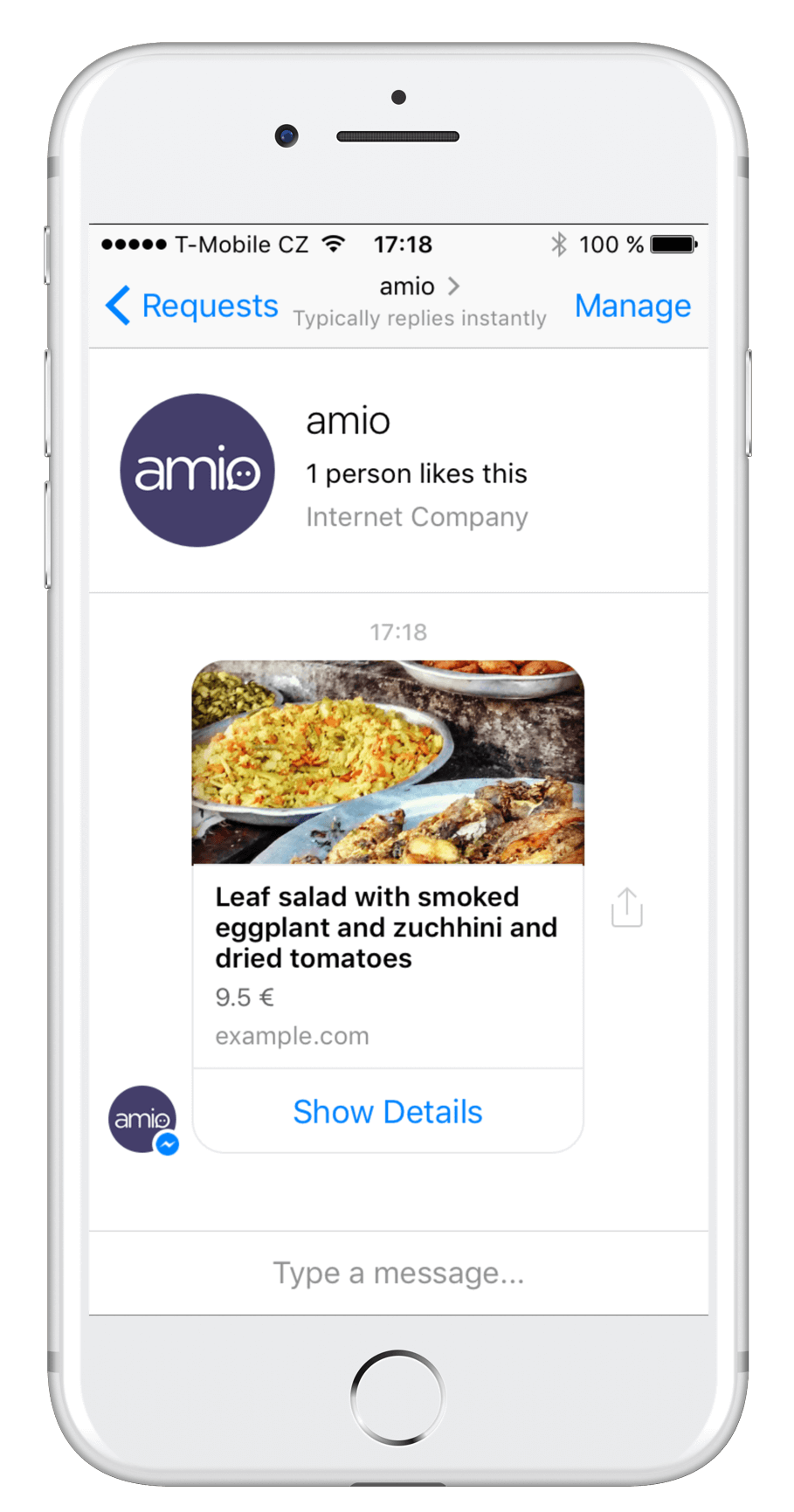
...buttons: [ { "type": "url", "title": "Freedom", "payload": "https://en.wikipedia.org/wiki/Liberty" }]...| Parameter | Type | Description |
|---|---|---|
| type* | string | Must be set to url. |
| title* | string | Title of the button. Max size is 20 characters. |
| payload* | string | Url to be opened. |
🚧 Requires Domain Whitelisting
Url passed to the webview with url button must be whitelisted (including subdomains). See domain whitelisting.
Postback Button
Section titled “Postback Button”When the user taps on the postback button, it sends developer-defined payload back on Postback Received webhook. You can perform an action or reply back when this happens.
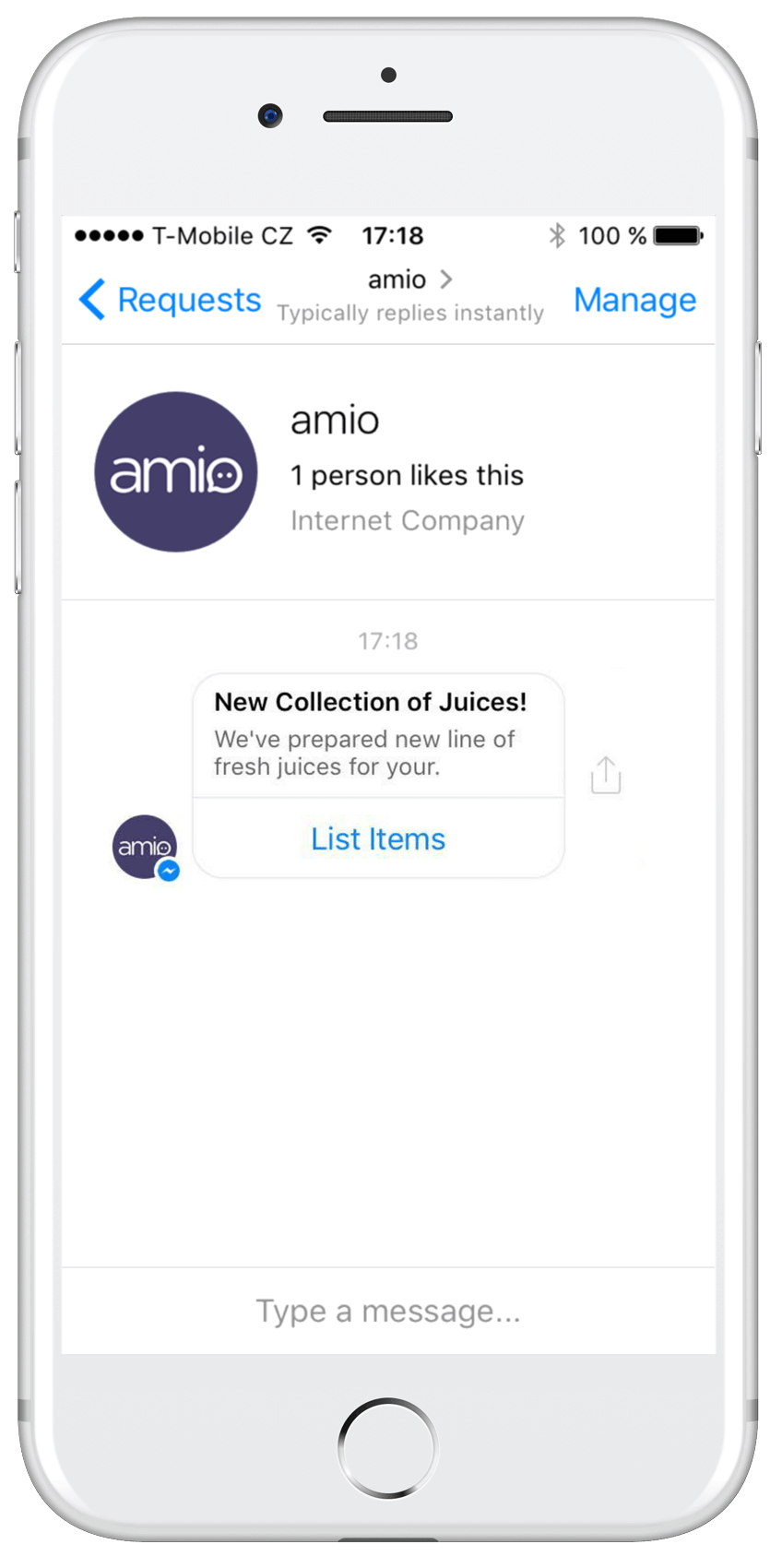
...buttons: [ { "type": "postback", "title": "List Items", "payload": "{{PASS_THROUGH_PARAM}}" }]...| Parameter | Type | Description |
|---|---|---|
| type* | string | Must be set to postback. |
| title* | string | Title of the button. Max size is 20 characters. |
| payload* | string | Any arbitrary data you can send to Postback Received webhook. Max size is 1000 characters. |
Call Button
Section titled “Call Button”Call Button initiates a phone call.
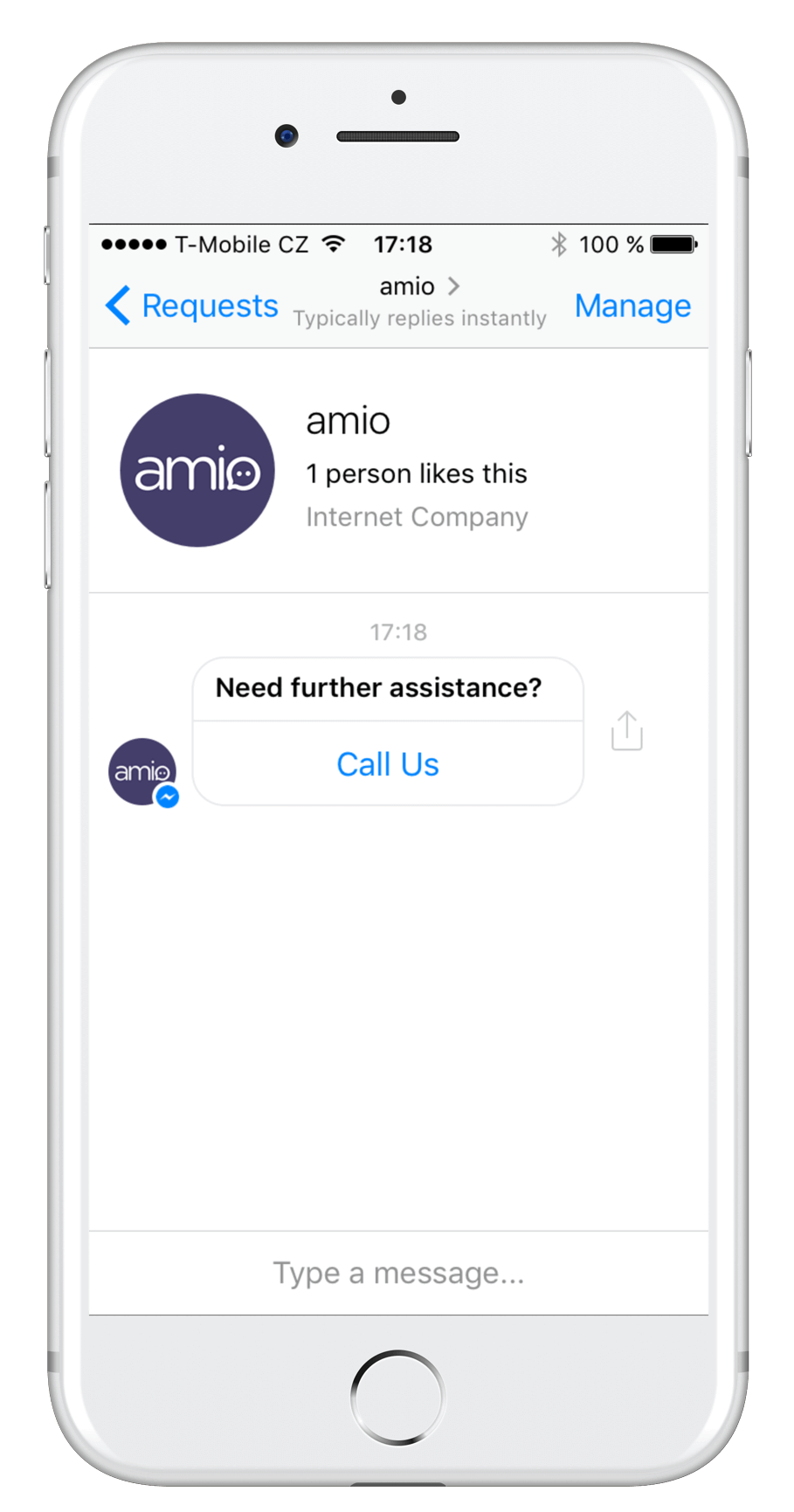
...buttons: [ { "type": "phone", "title": "Call Us", "payload": "+1 (555) 857-6309" }]...| Parameter | Type | Description |
|---|---|---|
| type* | string | Must be set to phone. |
| title* | string | Title of the button. Max size is 20 characters. |
| payload* | string | Phone number that will be dialed. Make sure the phone number is in international format. |
Facebook Messenger: Quick Replies
Section titled “Facebook Messenger: Quick Replies”Quick Replies are buttons with a set of pre-defined short replies that appear above the user input, making the keyboard less important. When a button is tapped, the message is sent as a text and you’ll receive it to your webhook. The buttons are dismissed as soon as the user taps one or replies with own text.
Quick Replies can be attached to any Message type in the content.quick_replies attribute.
{ "channel": { ... }, "contact": { ... }, "content": { "type": "...", "payload": "...", "quick_replies": [ { "..." }, { "..." }, { "..." } ] }}| Parameter | Type | Description |
|---|---|---|
| quick_replies | array of objects | Holds a list of up to 11 objects of Text Quick Reply, Email Quick Reply or Phone Number Quick Reply type. |
Text Quick Reply
Section titled “Text Quick Reply”Text Quick Replies show buttons with text and optionally a small image icon. Each button can also hold a developer-defined payload, which is invisible to the user but can be used for automated processing. When the user taps on the button, it fires Message Received webhook with text and developer payload if specified.
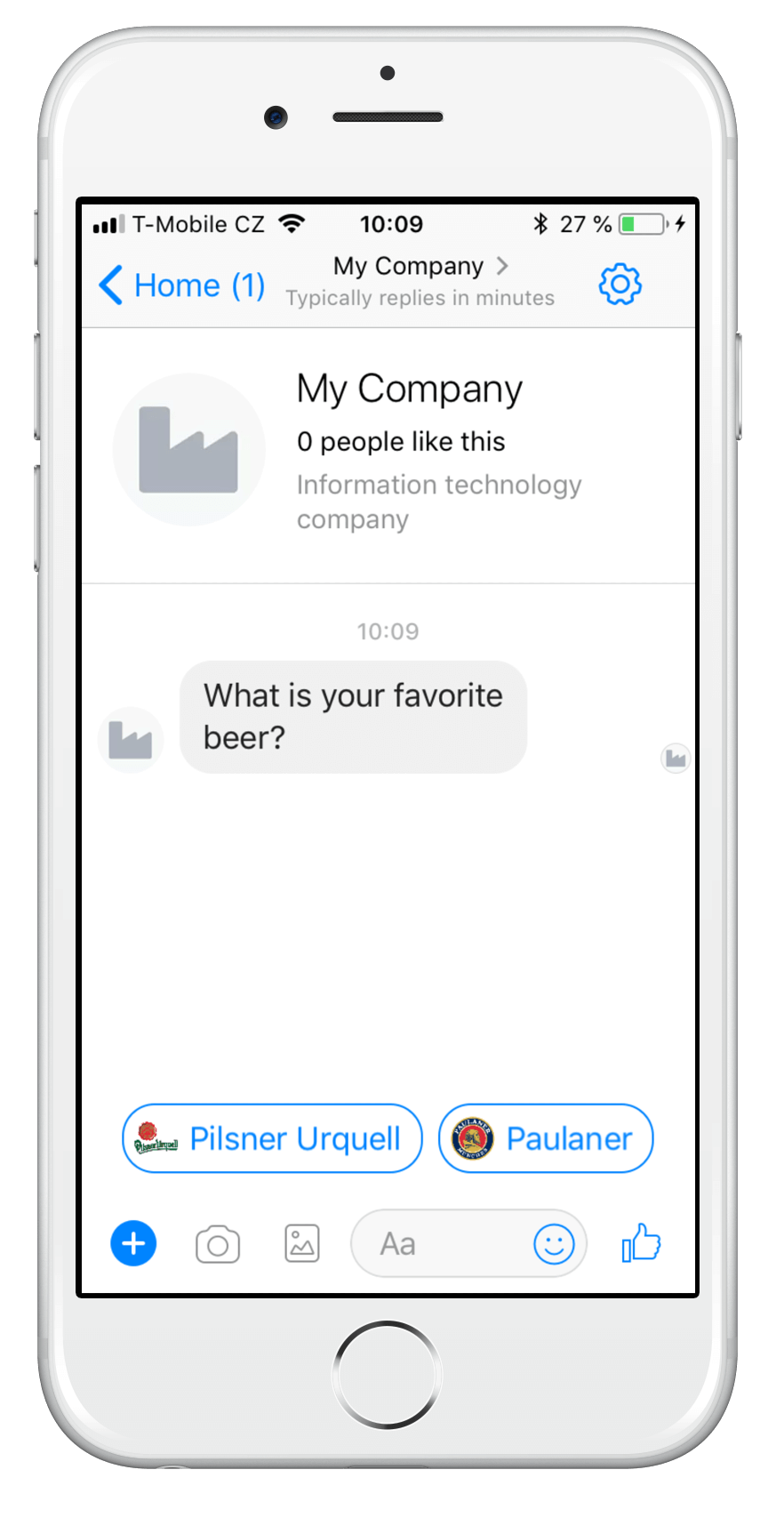
..."quick_replies": [ { "type": "text", "title": "Pilsner Urquell", "payload": "DEVELOPER_DEFINED_PAYLOAD", "image_url": "http://www.logotypes101.com/logos/778/70D1EF7E13BFAC232F2D05DE2E5594E0/pubisc.png" }, { "type": "text", "title": "Heineken", "payload": "DEVELOPER_DEFINED_PAYLOAD", "image_url": "http://www.logotypes101.com/free_vector_logo_png/33082/85D3F063102F2476DC36D26D4D7A15C1/Heineken29" }]...| Parameter | Type | Description |
|---|---|---|
| type* | string | Must be set to text. |
| title* | string | Button title with limit of 20 character; longer text gets truncated. |
| payload* | string | Developer-defined payload with limit of 1000 character. This payload is delivered back together with title as a text message in Message Received webhook. |
| image_url | string | Image to be displayed on the button. It should have dimension of at least 24x24 px. |
🚧 UX - the user can still type a message
Be aware that the user might send the reply by typing it into user input instead of using a Quick Reply button. In this case you won’t receive the payload metadata. However, you should handle this message same as the user taps on the quick reply button.
Email Quick Reply
Section titled “Email Quick Reply”Email Quick Reply allows you to easily ask for users’ email address. If the user has an email set in the profile, then it will be pre-filed as a quick reply button. When the user taps on the button, it fires Message Received webhook with text containing his email address.
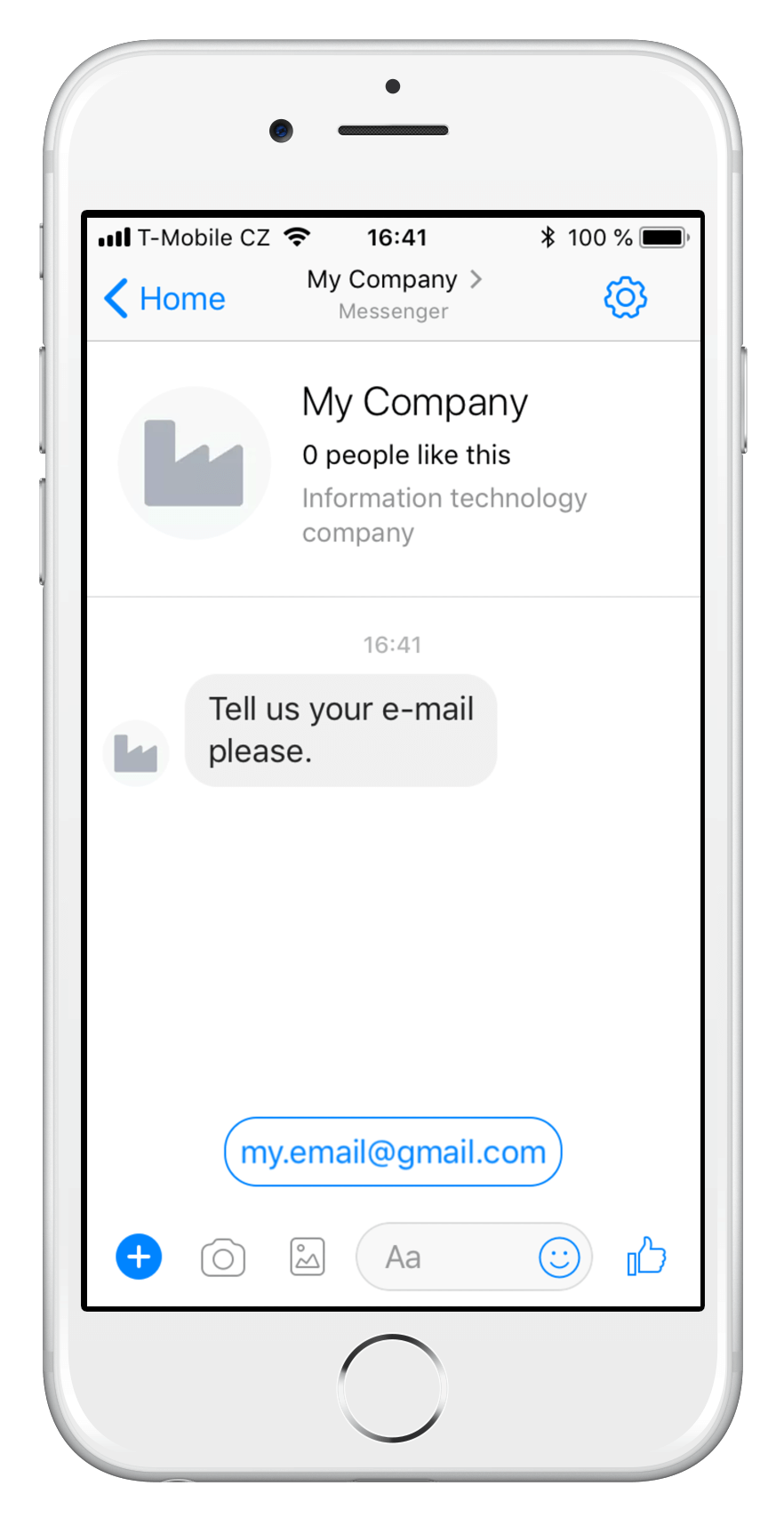
..."quick_replies": [ { "type": "email" }]...| Parameter | Type | Description |
|---|---|---|
| type* | string | Must be set to email. |
Phone Number Quick Reply
Section titled “Phone Number Quick Reply”Phone number quick reply allows you to easily ask for users’ phone number. If the user has a phone number set in the profile, then it will be pre-filed as a quick reply button. When the user taps on the button, it fires Message Received webhook with text containing his phone number.
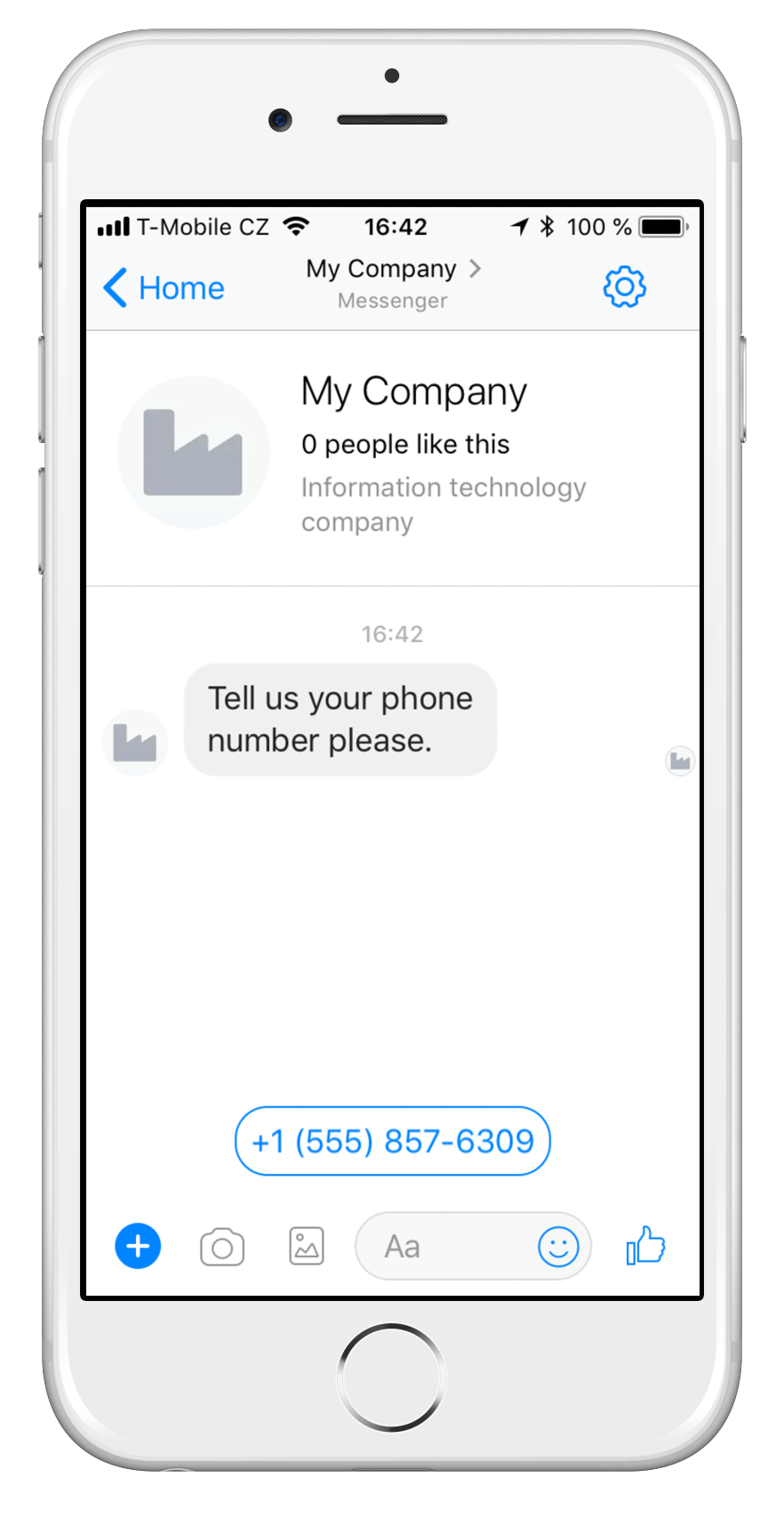
..."quick_replies": [ { "type": "phone_number" }]...| Parameter | Type | Description |
|---|---|---|
| type* | string | Must be set to phone_number. |
Facebook Messenger: Metadata
Section titled “Facebook Messenger: Metadata”Developer-defined metadata can be sent with any type of Message. They are delivered back in Message Echo webhook.
{ "channel": { ... }, "contact": { ... }, "content": { ... }, "metadata": { "any": "arbitrary data" }}Platform Metadata
Section titled “Platform Metadata”Facebook Messenger API has its own concept of metadata. You can send metadata as a string with any message, see Facebook Messenger API documentation. Amio API reserves platform_metadata keyword to be mapped to original Facebook Messenger metadata attribute.
{ "channel": { ... }, "contact": { ... }, "content": { ... }, "metadata": { "platform_metadata": "these data are going to be sent directly to Facebook Messenger API as metadata attribute" }}| Parameter | Type | Description |
|---|---|---|
| platform_metadata | string | Platform specific metadata to be sent directly to Facebook Messenger API as a metadata attribute, see Facebook Messenger API documentation. Max size 1000 characters. |
Facebook Messenger: Types
Section titled “Facebook Messenger: Types”Facebook Messenger types are used to explicitly specify the purpose of a message and ensure that given message complies with Facebook policies. Amio handles message types automatically so you don’t have to care about setting this attribute. However, you can specify a message type for custom scenarios.
To send a message type, you can use type reserved keyword in metadata attribute:
{ "channel": { ... }, "contact": { ... }, "content": { ... }, "metadata": { "type": "response" }}| Parameter | Type | Description |
|---|---|---|
| type | string | Message type: response, update. Type can be set only if Tags are not used.response (default): Message is in response to a received message. This includes promotional and non-promotional messages sent inside the 24-hour standard messaging window. For example, use this tag to respond if a person asks for a reservation confirmation or an status update.update: Message is being sent proactively and is not in response to a received message. This includes promotional and non-promotional messages sent inside the the 24-hour standard messaging window. |
Facebook Messenger: Tags
Section titled “Facebook Messenger: Tags”Message tags give you the permission to send messages within and beyond the 24-hour standard messaging window. However, they should strictly comply with Facebook Messenger Platform Policy.
To send a message tag, you can use tag reserved keyword in metadata attribute:
{ "channel": { ... }, "contact": { ... }, "content": { ... }, "metadata": { "tag": "POST_PURCHASE_UPDATE" }}| Parameter | Type | Description |
|---|---|---|
| tag | string | Tag to be sent with message: account_update , application_update , appointment_update , confirmed_event_reminder , confirmed_event_update, issue_resolution , non_promotional_subscription, payment_update, personal_finance_update , post_purchase_update, reservation_update , shipping_update , ticket_update , transportation_update , see Facebook Documentation for full description. Tag can be set only if Types are not used. |
Supported Legacy Message Tags
Section titled “Supported Legacy Message Tags”These Tags will be “translated” automatically before sending them to Facebook API.
| Legacy Message Tag | New Message Tag |
|---|---|
| APPLICATION_UPDATE | ACCOUNT_UPDATE |
| APPOINTMENT_UPDATE | CONFIRMED_EVENT_UPDATE |
| CONFIRMED_EVENT_REMINDER | CONFIRMED_EVENT_UPDATE |
| ISSUE_RESOLUTION | ACCOUNT_UPDATE |
| PAYMENT_UPDATE | POST_PURCHASE_UPDATE |
| PERSONAL_FINANCE_UPDATE | ACCOUNT_UPDATE |
| RESERVATION_UPDATE | POST_PURCHASE_UPDATE |
| SHIPPING_UPDATE | POST_PURCHASE_UPDATE |
| TICKET_UPDATE | CONFIRMED_EVENT_UPDATE |
| TRANSPORTATION_UPDATE | CONFIRMED_EVENT_UPDATE |
Mobile (SMS): Overview
Section titled “Mobile (SMS): Overview”Message resource is the main entry point for sending messages. To send a message, you have to specify a Mobile contact with a phone number you already have.
Request
{ "contact": { "phone_number": "+1 (555) 857-6309" }, "channel": {...}, "content": {...}}Response
{ "id": "...", "contact": { "id": "6456078781510718339", "phone_number": "15558576309" }, "channel": {...}, "content": {...}}Mobile (SMS): List Messages
Section titled “Mobile (SMS): List Messages”GET https://api.amio.io/v1/channels/{channel_id}/contacts/{contact_id}/messages
Parameters
| Name | In | Type | Required | Description |
|---|---|---|---|---|
channel_id |
path | string | yes | Id of the channel. |
contact_id |
path | string | yes | Id of the contact. |
Response 200
[ { "id": "6456078996108088196", "direction": "sent", "sent": "2018-02-06T19:15:38.860Z", "delivered": null, "read": null, "channel": { "id": "6456078759331238786", "type": "mobile" }, "contact": { "id": "6456078781510718339", "phone_number": "15558576309" }, "content": { "payload": "text", "type": "Hello world!" } }]Response 400
{}Mobile (SMS): Text
Section titled “Mobile (SMS): Text”
POST https://api.amio.io/v1/messages
Request body
| Parameter | Type | Required | Description |
|---|---|---|---|
channel |
object | ||
channel.id |
string | yes | Id of the channel you wish to send the message to. |
contact |
object | ||
contact. phone_number |
string | yes | Phone number of the contact. All phone number formats are accepted. ⚠ You always need to include international call prefix. |
content |
object | ||
content.type |
string | yes | Must be set to text. |
content.payload |
string | yes | Text to be sent. Maximum length of text depends on provider (MessageBird - 1377 characters). |
Example request
{ "channel": { "id": "6456078759331238786" }, "contact": { "phone_number": "+1 (555) 857-6309" }, "content": { "type": "text", "payload": "Hello world!" }}Response 201
{ "id": "6456078996108088196", "channel": { "id": "6456078759331238786", "type": "mobile" }, "contact": { "id": "6456078781510718339", "phone_number": "15558576309" }, "content": { "type": "text", "payload": "Hello world!" }}Mobile (SMS): Metadata
Section titled “Mobile (SMS): Metadata”Developer-defined metadata can be sent with any type of Message. They are delivered back in Message Echo webhook.
{ "channel": { ... }, "contact": { ... }, "content": { ... }, "metadata": { "any": "arbitrary data" }}RCS Business Messages: Overview
Section titled “RCS Business Messages: Overview”Message resource is the main entry point for sending messages. To send a message, you have to specify contact.phone_number.
RCS Business Messages: List Messages
Section titled “RCS Business Messages: List Messages”GET https://api.amio.io/v1/channels/{channel_id}/contacts/{contact_id}/messages
Parameters
| Name | In | Type | Required | Description |
|---|---|---|---|---|
channel_id |
path | string | yes | Id of the channel. |
contact_id |
path | string | yes | Id of the contact. |
Response 200
[ { "id": "6456078996108088196", "direction": "sent", "sent": "2018-02-06T19:15:38.860Z", "delivered": null, "read": null, "channel": { "id": "6456078759331238786", "type": "rbm" }, "contact": { "id": "6456078781510718339", "phone_number": "15558576309" }, "content": { "payload": "text", "type": "Hello world!" } }]Response 400
{}RCS Business Messages: Text
Section titled “RCS Business Messages: Text”
POST https://api.amio.io/v1/messages
Request body
| Parameter | Type | Required | Description |
|---|---|---|---|
channel |
object | ||
channel.id |
string | yes | Id of the channel you wish to send the message to. |
contact |
object | ||
contact. phone_number |
string | yes | Phone number of the contact. All phone number formats are accepted. ⚠ You always need to include international call prefix. |
content |
object | ||
content.type |
string | yes | Must be set to text. |
content.payload |
string | yes | Text to be sent encoded in UTF-8. The maximum size of a message is 250 KB. |
Example request
{ "channel": { "id": "6456078759331238786" }, "contact": { "phone_number": "+1 (555) 857-6309" }, "content": { "type": "text", "payload": "Hello world!" }}Response 201
{ "id": "6456078996108088196", "channel": { "id": "6456078759331238786", "type": "rbm" }, "contact": { "id": "6456078781510718339", "phone_number": "15558576309" }, "content": { "type": "text", "payload": "Hello world!" }}RCS Business Messages: Structure
Section titled “RCS Business Messages: Structure”POST https://api.amio.io/v1/messages/
Request body
| Parameter | Type | Required | Description |
|---|---|---|---|
channel |
object | ||
channel.id |
string | yes | id of the channel you wish to send the message to. |
contact |
object | ||
contact.phone_number |
string | yes | Phone number of the contact. All phone number formats are accepted. ⚠ You always need to include international call prefix. |
content |
object | ||
content.type |
string | yes | Must be set to structure. |
content.payload |
object | ||
content.payload.text |
string | yes | Message text. Max size 80 characters. However, you can use up to 640 characters if you use text with buttons only. |
content.payload.buttons |
array | yes | Buttons to be shown below the message. Limited to 3 buttons. See Buttons chapter for more details. |
Example request
{ "channel": { "id": "{{amio_chat.channel.id}}" }, "contact": { "id": "{{amio_chat.contact.id}}" }, "content": { "type": "structure", "payload": { "text": "For more info:", "buttons": [ { "type": "url", "title": "Visit our website", "payload": "https://amio.io" }, { "type": "postback", "title": "About us", "payload": "postbackpayload" }, { "type": "phone", "title": "Call us", "payload": "+123456789" } ] } }}Response 201
{}Response 400
{}Telegram: Overview
Section titled “Telegram: Overview”Message resource is the main entry point for sending messages. To send a message, you have to specify a Telegram contact id. You receive contact.id when a user starts a conversation with you.
Telegram: List Messages
Section titled “Telegram: List Messages”GET https://api.amio.io/v1/channels/{channel_id}/contacts/{contact_id}/messages
Parameters
| Name | In | Type | Required | Description |
|---|---|---|---|---|
channel_id |
path | string | yes | Id of the channel. |
contact_id |
path | string | yes | Id of the contact. |
Response 200
[ { "id": "6456078996108088196", "direction": "sent", "sent": "2018-02-06T19:15:38.860Z", "delivered": null, "read": null, "channel": { "id": "6456078759331238786", "type": "telegram" }, "contact": { "id": "6456078781510718339" }, "content": { "payload": "text", "type": "Hello world!" } }]Response 400
{}Telegram: Text
Section titled “Telegram: Text”
POST https://api.amio.io/v1/messages
Request body
| Parameter | Type | Required | Description |
|---|---|---|---|
channel |
object | ||
channel.id |
string | yes | Id of the channel you wish to send the message to. |
contact |
object | ||
contact.id |
string | yes | Id of the contact. Id is unique across channels and is generated by Amio. |
content |
object | ||
content.type |
string | yes | Must be set to text. |
content.payload |
string | yes | Text to be sent. Maximum size of 4096 characters. |
Example request
{ "channel": { "id": "6555093381403135744" }, "contact": { "id": "6555112211957436097" }, "content": { "type": "text", "payload": "Hello world!" }}Response 201
{ "id": "6555113982310240129", "channel": { "id": "6555093381403135744", "type": "telegram" }, "contact": { "id": "6555112211957436097" }, "content": { "type": "text", "payload": "Hello world!" }}Telegram: Quick Replies
Section titled “Telegram: Quick Replies”Quick Replies are buttons with a set of pre-defined short replies that appear above the user input, making the keyboard less important. When a button is tapped, the message is sent as a text and you’ll receive it to your webhook. The buttons are dismissed as soon as the user taps one or replies with own text.
Quick Replies can be attached to any Message type in the content.quick_replies attribute.
{ "channel": { ... }, "contact": { ... }, "content": { "type": "...", "payload": "...", "quick_replies": [ { "..." }, { "..." }, { "..." } ] }}| Parameter | Type | Description |
|---|---|---|
| quick_replies | array of objects | Holds a list of up to 11 objects of Text Quick Reply type. |
Text Quick Reply
Section titled “Text Quick Reply”Text Quick Replies show buttons with text and optionally a small image icon. Each button can also hold a developer-defined payload, which is invisible to the user but can be used for automated processing. When the user taps on the button, it fires Message Received webhook with text and developer payload if specified.
..."quick_replies": [ { "type": "text", "title": "Pilsner Urquell", "payload": "DEVELOPER_DEFINED_PAYLOAD" }, { "type": "text", "title": "Heineken", "payload": "DEVELOPER_DEFINED_PAYLOAD" }]...| Parameter | Type | Description |
|---|---|---|
| type* | string | Must be set to text. |
| title* | string | Button title with limit of 20 character; longer text gets truncated. |
| payload* | string | Developer-defined payload with limit of 1000 character. This payload is delivered back together with title as a text message in Message Received webhook. |
Telegram: Structure
Section titled “Telegram: Structure”Structure messages allows you to send well formatted message containing image, title, description, link and action buttons. This format is suitable when you’d like to send messages with visual content and possible call to action buttons, i.e. today’s menu of your restaurant.
POST https://api.amio.io/v1/messages/
Structure messages allows you to send well formatted message containing image, title, description, link and action buttons. This format is suitable when you’d like to send messages with visual content and possible call to action buttons, i.e. today’s menu of your restaurant.
Request body
| Parameter | Type | Required | Description |
|---|---|---|---|
channel |
object | ||
channel.id |
string | yes | Id of the channel you wish to send the message to. |
contact |
object | ||
contact.id |
string | yes | Id of the contact. Id is unique across channels and is generated by Amio. |
content |
object | ||
content.type |
string | yes | Must be set to structure. |
content.payload |
object | ||
content.payload.title |
string | Title of the message. Max size 80 characters. Title has to be specified with one more additional attribute: text, image_url or buttons. You can also omit the title attribute and use only text and buttons attributes. |
|
content.payload.text |
string | Message text. Max size 80 characters. However, you can use up to 640 characters if you use text with buttons only. | |
content.payload.image_url |
string | Url of an image to be displayed. Image ratio is 1.91:1. | |
content.payload.item_url |
string | Url which is opened when the message is tapped. | |
content.payload.buttons |
array | Buttons to be shown below the message. Limited to 3 buttons. See Buttons chapter for more details. | |
metadata |
object | Metadata allows you to send any arbitrary data with the message. They are delivered back with Message Echo webhook. |
Example request
{ "channel": { "id": "6456078759331238786" }, "contact": { "id": "6456078781510718339" }, "content": { "type": "structure", "payload": { "title": "Leaf salad with smoked eggplant and zuchhini and dried tomatoes", "text": "9.5 €", "image_url": "https://upload.wikimedia.org/wikipedia/commons/f/fa/Fish_-lunch.jpg", "item_url": "https://example.com/daily-menu", "buttons": [ { "type": "url", "title": "Show Details", "payload": "https://example.com/daily-menu/food-1" } ] } }}Response 201
{ "id": "6456078996108088196", "channel": { "id": "6456078759331238786", "type": "amio_chat" }, "contact": { "id": "6456078781510718339" }, "content": { "type": "structure", "payload": { "title": "Leaf salad with smoked eggplant and zuchhini and dried tomatoes", "text": "9.5 €", "image_url": "https://upload.wikimedia.org/wikipedia/commons/f/fa/Fish_-lunch.jpg", "item_url": "https://example.com/daily-menu", "buttons": [ { "type": "url", "title": "Show Details", "payload": "https://example.com/daily-menu/food-1" } ] } }}Telegram: Image
Section titled “Telegram: Image”POST https://api.amio.io/v1/messages
Request body
| Parameter | Type | Required | Description |
|---|---|---|---|
channel |
object | ||
channel.id |
string | yes | Id of the channel you wish to send the message to. |
contact |
object | ||
contact.id |
string | yes | Id of the contact. Id is unique across channels and is generated by Amio. |
content |
object | ||
content.type |
string | yes | Must be set to image. |
content.payload |
object | ||
content.payload.url |
string | yes | Url of the image to be sent. |
content.quick_replies |
array | Quick Replies enrich the message with buttons that are dismissed as soon as user taps one. | |
metadata |
object | Metadata allows you to send any arbitrary data with the message. They are delivered back with Message Echo webhook. |
Example request
{ "channel": { "id": "6456078759331248741" }, "contact": { "id": "6456078781510715474" }, "content": { "type": "image", "payload": { "url": "https://upload.wikimedia.org/wikipedia/commons/1/11/V%C3%A1clav_Havel_cut_out.jpg" } }}Response 201
{ "id": "6456078996108099701", "channel": { "id": "6456078759331248741", "type": "amio_chat" }, "contact": { "id": "6456078781510715474" }, "content": { "type": "image", "payload": { "url": "https://upload.wikimedia.org/wikipedia/commons/1/11/V%C3%A1clav_Havel_cut_out.jpg" } }}Telegram: Video
Section titled “Telegram: Video”
POST https://api.amio.io/v1/messages/
Request body
| Parameter | Type | Required | Description |
|---|---|---|---|
channel |
object | ||
channel.id |
string | yes | Id of the channel you wish to send the message to. |
contact |
object | ||
contact.id |
string | yes | Id of the contact. Id is unique across channels and is generated by Amio. |
content |
object | ||
content.type |
string | yes | Must be set to video. |
content.payload |
object | ||
content.payload.url |
string | yes | Url of the video to be sent. Max size is 25 MB. |
content.quick_replies |
array | Quick Replies enrich the message with buttons that are dismissed as soon as user taps one. | |
metadata |
object | Metadata allows you to send any arbitrary data with the message. They are delivered back with Message Echo webhook. |
Example request
{ "channel": { "id": "6456078759331238786" }, "contact": { "id": "6456078781510718339" }, "content": { "type": "video", "payload": { "url": "http://www.sample-videos.com/video/mp4/720/big_buck_bunny_720p_1mb.mp4" } }}Response 201
{ "id": "6456078996108088196", "channel": { "id": "6456078759331238786", "type": "telegram" }, "contact": { "id": "6456078781510718339", }, "content": { "type": "video", "payload": { "url": "http://www.sample-videos.com/video/mp4/720/big_buck_bunny_720p_1mb.mp4" } }}Viber Bot: Overview
Section titled “Viber Bot: Overview”Message resource is the main entry point for sending messages. To send a message, you have to specify a Viber contact id. You receive contact.id when the user starts a conversation with you, see Entry Points for more details.
Viber Bot: List Messages
Section titled “Viber Bot: List Messages”Response Body Params
| Parameter | Type | Description |
|---|---|---|
| id | string | Id of the message. |
| direction | string | Specifies if the message has been received or sent: received, sent. |
| sent | string | Iso 8601 Timestamp - time when the message was sent. |
| delivered | string | Iso 8601 Timestamp - time when the message was delivered. null means that it hasn’t been delivered yet. |
| read | string | Iso 8601 Timestamp - time when the message was read. null means that it hasn’t been read yet. |
| channel | object | Channel in which the message was sent or received. |
| contact | object | Message belongs to a contact. |
| content | object | Content of the message |
GET https://api.amio.io/v1/channels/{channel_id}/contacts/{contact_id}/messages
Parameters
| Name | In | Type | Required | Description |
|---|---|---|---|---|
channel_id |
path | string | yes | Id of the channel. |
contact_id |
path | string | yes | Id of the contact. |
Response 200
[ { "id": "6456078996108088196", "direction": "sent", "sent": "2018-02-06T19:15:38.860Z", "delivered": null, "read": null, "channel": { "id": "6456078781510718339", "type": "viber" }, "contact": { "id": "6456078759331238786" }, "content": { "payload": "text", "type": "Hello world!" } }]Viber Bot: Text
Section titled “Viber Bot: Text”
POST https://api.amio.io/v1/messages
Request body
| Parameter | Type | Required | Description |
|---|---|---|---|
channel |
object | ||
channel.id |
string | yes | Id of the channel you wish to send the message to. |
contact |
object | ||
contact.id |
string | yes | Id of the contact. Id is unique across channels and is generated by Amio. |
content |
object | ||
content.type |
string | yes | Must be set to text. |
content.payload |
string | yes | Text to be sent. Maximum size of 320 characters. |
Example request
{ "channel": { "id": "6456078759331238786" }, "contact": { "id": "6456078781510718339" }, "content": { "type": "text", "payload": "Hello world!" }}Response 201
{ "id": "6456078996108088196", "channel": { "id": "6456078759331238786", "type": "viber" }, "contact": { "id": "6456078781510718339" }, "content": { "type": "text", "payload": "Hello world!" }}Viber Bot: Image
Section titled “Viber Bot: Image”
POST https://api.amio.io/v1/messages
Request body
| Parameter | Type | Required | Description |
|---|---|---|---|
channel |
object | ||
channel.id |
string | yes | Id of the channel you wish to send the message to. |
contact |
object | ||
contact.id |
string | yes | Id of the contact. Id is unique across channels and is generated by Amio. |
content |
object | ||
content.type |
string | yes | Must be set to image. |
payload |
object | ||
payload.url |
string | yes | Url of the image to be sent. |
Example request
{ "channel": { "id": "6456078759331238786" }, "contact": { "id": "6456078781510718339" }, "content": { "type": "image", "payload": { "url": "https://upload.wikimedia.org/wikipedia/commons/1/11/V%C3%A1clav_Havel_cut_out.jpg" } }}Response 201
{ "id": "6456078996108088196", "channel": { "id": "6456078759331238786", "type": "viber" }, "contact": { "id": "6456078781510718339" }, "content": { "type": "image", "payload": { "url": "https://upload.wikimedia.org/wikipedia/commons/1/11/V%C3%A1clav_Havel_cut_out.jpg" } }}Viber Bot: Video
Section titled “Viber Bot: Video”
POST https://api.amio.io/v1/messages
Request body
| Parameter | Type | Required | Description |
|---|---|---|---|
channel |
object | ||
channel.id |
string | yes | Id of the channel you wish to send the message to. |
contact |
object | ||
contact.id |
string | yes | Id of the contact. Id is unique across channels and is generated by Amio. |
content |
object | ||
content.type |
string | yes | Must be set to video. |
payload |
object | ||
payload.url |
string | yes | Url of the video to be sent. Allowed formats are MP4 and H264. Max size is 50 MB. Max duration is 180 seconds. |
Example request
{ "channel": { "id": "6456078759331238786" }, "contact": { "id": "6456078781510718339" }, "content": { "type": "video", "payload": { "url": "http://www.sample-videos.com/video/mp4/720/big_buck_bunny_720p_1mb.mp4" } }}Response 201
{ "id": "6456078996108088196", "channel": { "id": "6456078759331238786", "type": "viber" }, "contact": { "id": "6456078781510718339", }, "content": { "type": "video", "payload": { "url": "http://www.sample-videos.com/video/mp4/720/big_buck_bunny_720p_1mb.mp4" } }}Viber Bot: File
Section titled “Viber Bot: File”
POST https://api.amio.io/v1/messages
Request body
| Parameter | Type | Required | Description |
|---|---|---|---|
channel |
object | ||
channel.id |
string | yes | Id of the channel you wish to send the message to. |
contact |
object | ||
contact.id |
string | yes | Id of the contact. Id is unique across channels and is generated by Amio. |
content |
object | ||
content.type |
string | yes | Must be set to file. |
payload |
object | ||
payload.url |
string | yes | Url of the file to be sent. |
Example request
{ "channel": { "id": "6456078759331238786" }, "contact": { "id": "6456078781510718339" }, "content": { "type": "file", "payload": { "url": "https://example.com/file.pdf" } }}Response 201
{ "id": "6456078996108088196", "channel": { "id": "6456078759331238786", "type": "viber" }, "contact": { "id": "6456078781510718339" }, "content": { "type": "file", "payload": { "url": "https://example.com/file.pdf" } }}Viber Bot: Structure
Section titled “Viber Bot: Structure”Structure messages allows you to send well formatted message containing image, title, description, link and action buttons. This format is suitable when you’d like to send messages with visual content and possible call to action buttons, i.e. today’s menu of your restaurant.

POST https://api.amio.io/v1/messages
Structure messages allows you to send well formatted message containing image, title, description, link and action buttons. This format is suitable when you’d like to send messages with visual content and possible call to action buttons, i.e. today’s menu of your restaurant.
Request body
| Parameter | Type | Required | Description |
|---|---|---|---|
channel |
object | ||
channel.id |
string | yes | Id of the channel you wish to send the message to. |
contact |
object | ||
contact.id |
string | yes | Id of the contact. Id is unique across channels and is generated by Amio. |
content |
object | ||
content.type |
string | yes | Must be set to structure. |
payload |
object | ||
payload.title |
string | Title of the message. It is displayed on one line and the text is truncated with ellipsis (three dots in the end) if exceeds the line. You can usually fit up to 20 characters. | |
payload.text |
string | Message text. It is displayed on 3 lines if zero or one button is used or on one line if more buttons are used. That’s enough space for approximately 65 characters or 22 characters respectively. | |
payload.image_url |
string | Url of an image to be displayed. Image ratio is 1.91:1. | |
payload.item_url |
string | Url which is opened when the message is tapped. | |
payload.buttons |
array | Buttons to be shown below the message. Limitted to 3 buttons. See Buttons chapter for more details. | |
metadata |
string | Metadata allows you to send any arbitrary data with the message. They are delivered back with Message Echo webhook. |
Example request
{ "channel": { "id": "6456078759331238786" }, "contact": { "id": "6456078781510718339" }, "content": { "type": "structure", "payload": { "title": "Leaf salad", "text": "9.5 €", "image_url": "https://upload.wikimedia.org/wikipedia/commons/f/fa/Fish_-lunch.jpg", "item_url": "https://example.com/daily-menu", "buttons": [ { "type": "url", "title": "Show Details", "payload": "https://example.com/daily-menu/food-1" } ] } }}Response 201
{ "id": "6456078996108088196", "channel": { "id": "6456078759331238786", "type": "facebook_messenger" }, "contact": { "id": "6456078781510718339" }, "content": { "type": "structure", "payload": { "title": "Leaf salad", "text": "9.5 €", "image_url": "https://upload.wikimedia.org/wikipedia/commons/f/fa/Fish_-lunch.jpg", "item_url": "https://example.com/daily-menu", "buttons": [ { "type": "url", "title": "Show Details", "payload": "https://example.com/daily-menu/food-1" } ] } }}Viber Bot: Structure - Horizontal Scroll
Section titled “Viber Bot: Structure - Horizontal Scroll”It is also possible to send multiple structured messages. They are displayed as a horizontal scroll within the Viber app.

POST https://api.amio.io/v1/messages
It is also possible to send multiple structured messages. They are displayed as a horizontal scroll within the Viber app.
Request body
| Parameter | Type | Required | Description |
|---|---|---|---|
channel |
object | ||
channel.id |
string | yes | Id of the channel you wish to send the message to. |
contact |
object | ||
contact.id |
string | yes | Id of the contact. Id is unique across channels and is generated by Amio. |
content |
object | ||
content.type |
string | yes | Must be set to structure. |
payload |
object | ||
payload.title |
string | Title of the message. It is displayed on one line and the text is truncated with ellipsis (three dots in the end) if exceeds the line. You can usually fit up to 20 characters. | |
payload.text |
string | Message text. It is displayed on 3 lines if zero or one button is used or on one line if more buttons are used. That’s enough space for approximately 65 characters or 22 characters respectively. | |
payload.image_url |
string | Url of an image to be displayed. Image ratio is 1.91:1. | |
payload.item_url |
string | Url which is opened when the message is tapped. | |
payload.buttons |
array | Buttons to be shown below the message. Limitted to 3 buttons. See Buttons chapter for more details. | |
metadata |
string | Metadata allows you to send any arbitrary data with the message. They are delivered back with Message Echo webhook. |
Example request
{ "channel": { "id": "6456078759331238786" }, "contact": { "id": "6456078781510718339" }, "content": { "type": "structure", "payload": [ { "title": "Leaf salad", "text": "9.5 €", "image_url": "https://upload.wikimedia.org/wikipedia/commons/f/fa/Fish_-lunch.jpg", "item_url": "https://example.com/daily-menu", "buttons": [ { "type": "url", "title": "Show Details", "payload": "https://example.com/daily-menu/food-1" } ] }, { "title": "Beef burger", "text": "12.0 €", "image_url": "https://upload.wikimedia.org/wikipedia/commons/9/9b/YOKOSUKA-NAVY-BURGER-TSUNAMI.JPG", "item_url": "https://example.com/daily-menu", "buttons": [ { "type": "url", "title": "Show Details", "payload": "https://example.com/daily-menu/food-2" } ] } ] }}Response 201
{ "id": "6456078996108088196", "channel": { "id": "6456078759331238786", "type": "viber" }, "contact": { "id": "6456078781510718339" }, "content": { "type": "structure", "payload": [ { "buttons": [ { "payload": "https://example.com/daily-menu/food-1", "type": "url", "title": "Show Details" } ], "image_url": "https://upload.wikimedia.org/wikipedia/commons/f/fa/Fish_-lunch.jpg", "item_url": "https://example.com/daily-menu", "text": "9.5 €", "title": "Leaf salad" }, { "buttons": [ { "payload": "https://example.com/daily-menu/food-2", "type": "url", "title": "Show Details" } ], "image_url": "https://upload.wikimedia.org/wikipedia/commons/9/9b/YOKOSUKA-NAVY-BURGER-TSUNAMI.JPG", "item_url": "https://example.com/daily-menu", "text": "12.0 €", "title": "Beef burger with Coleslaw salad" } ] }}Viber Bot: Buttons
Section titled “Viber Bot: Buttons”Buttons can be used in Structure messages. They provide the user with ability to perform a predefined action, such as opening a webpage or send a postback message.
- Url Button
- Postback Button
Url Button
Section titled “Url Button”The Url Button opens a browser with given address.
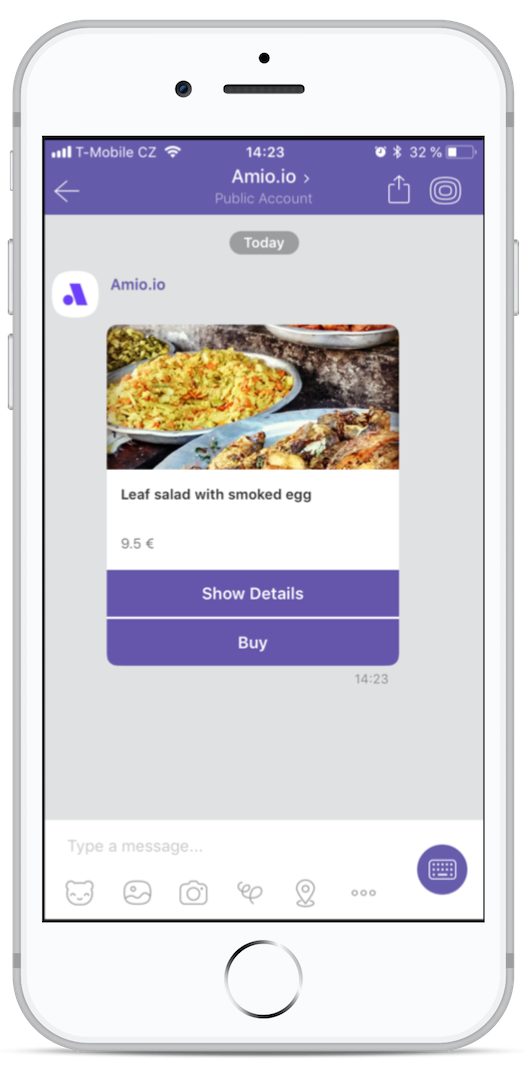
...buttons: [ { "type": "url", "title": "Freedom", "payload": "https://en.wikipedia.org/wiki/Liberty" }]...| Parameter | Type | Description |
|---|---|---|
| type* | string | Must be set to url. |
| title* | string | Title of the button. It is displayed on one line and the text is truncated with ellipsis (three dots in the end) if exceeds the line. You can fit usually up to 18 characters. |
| payload* | string | Url to be opened. |
Postback Button
Section titled “Postback Button”When the user taps on the postback button, it sends developer-defined payload back on Postback Received webhook. Tapping on this button also displays the title in the Viber app. You can perform an action or reply back when this happens.
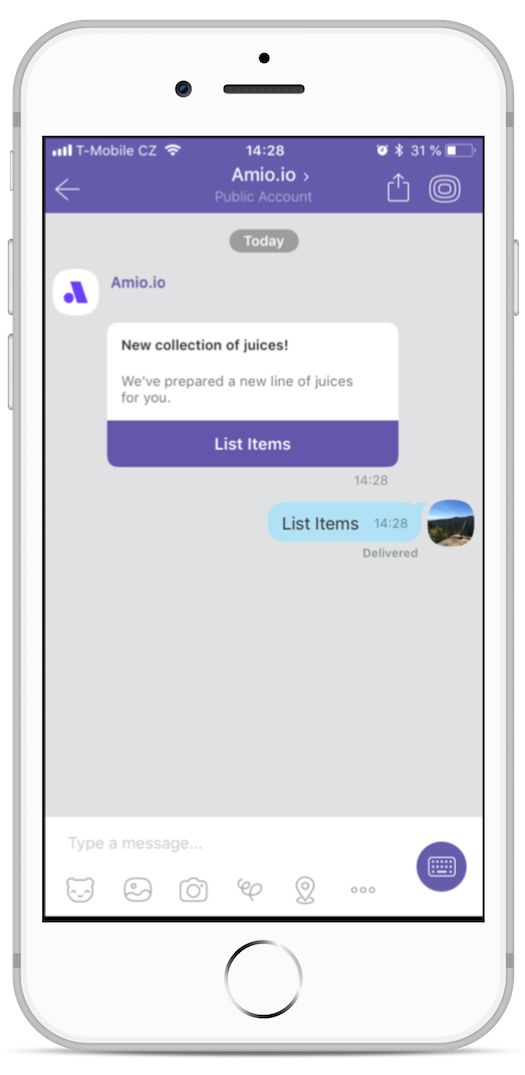
...buttons: [ { "type": "postback", "title": "List Items", "payload": "{{PASS_THROUGH_PARAM}}" }]...| Parameter | Type | Description |
|---|---|---|
| type* | string | Must be set to postback. |
| title* | string | Title of the button. It is displayed on one line and the text is truncated with ellipsis (three dots in the end) if exceeds the line. You can fit usually up to 18 characters. |
| payload* | string | Any arbitrary data you can send to Postback Received webhook. Max size is 1000 characters. |
Viber Bot: Metadata
Section titled “Viber Bot: Metadata”Developer-defined metadata can be sent with any type of Message. They are delivered back in Message Echo webhook.
{ "channel": { ... }, "contact": { ... }, "content": { ... }, "metadata": { "any": "arbitrary data" }}Platform Metadata
Section titled “Platform Metadata”Viber API has its own concept of metadata. It’s called tracking_data. You can send tracking data as a string with any message, see Viber API documentation. Amio API reserves platform_metadata keyword to be mapped to original Viber tracking_data attribute.
{ "channel": { ... }, "contact": { ... }, "content": { ... }, "metadata": { "platform_metadata": "these data are going to be sent directly to Viber API as tracking_data attribute" }}| Parameter | Type | Description |
|---|---|---|
| platform_metadata | string | Platform specific metadata to be sent directly to Viber API as a tracking_data attribute, see Viber API documentation. Max size 4000 characters. |
Viber Business Messages: Overview
Section titled “Viber Business Messages: Overview”Message resource is the main entry point for sending messages. To send a message, you have to specify a contact with the phone number you already have.
Request
{ "contact": { "phone_number": "+1 (555) 857-6309" }, "channel": {...}, "content": {...}}Response
{ "id": "...", "contact": { "id": "6456078781510718339", "phone_number": "15558576309" }, "channel": {...}, "content": {...}}Viber Business Messages: List Messages
Section titled “Viber Business Messages: List Messages”Response Body Params
| Parameter | Type | Description |
|---|---|---|
| id | string | Id of the message. |
| direction | string | Specifies if the message has been received or sent: received, sent. |
| sent | string | Iso 8601 Timestamp - time when the message was sent. |
| delivered | string | Iso 8601 Timestamp - time when the message was delivered. null means that it hasn’t been delivered yet. |
| read | string | Iso 8601 Timestamp - time when the message was read. null means that it hasn’t been read yet. |
| channel | object | Channel in which the message was sent or received. |
| contact | object | Message belongs to a contact. |
| content | object | Content of the message |
GET https://api.amio.io/v1/channels/{channel_id}/contacts/{contact_id}/messages
Parameters
| Name | In | Type | Required | Description |
|---|---|---|---|---|
channel_id |
path | string | yes | Id of the channel. |
contact_id |
path | string | yes | Id of the contact. |
max |
query | integer | Maximum number of messages to be listed. Values larger than 100 are accepted but the list will never contain more than 100 messages. Default: 10. |
|
offset |
query | integer | Offset of the starting position in the message list. Default: 0. |
|
since |
query | string | Allows filtering messages by date. Must be in ISO 8601 format. Default: unlimited. |
|
before |
query | string | Allows filtering messages by date. Must be in ISO 8601 format. Default: unlimited. |
Response 200
[ { "id": "6456078996108088196", "direction": "sent", "sent": "2018-02-06T19:15:38.860Z", "delivered": null, "read": null, "channel": { "id": "6456078759331238786", "type": "viber_business_messages" }, "contact": { "id": "6456078781510718339", "phone_number": "15558576309" }, "content": { "payload": "text", "type": "Hello world!" } }]Viber Business Messages: Text
Section titled “Viber Business Messages: Text”
POST https://api.amio.io/v1/messages
Request body
| Parameter | Type | Required | Description |
|---|---|---|---|
channel |
object | ||
channel.id |
string | yes | Id of the channel you wish to send the message to. |
contact |
object | ||
contact.phone_number |
string | yes | Phone number of the contact. |
content |
object | ||
content.type |
string | yes | Must be set to text. |
content.payload |
string | yes | Text to be sent. Maximum size of 1000 characters. |
Example request
{ "channel": { "id": "6456078759331238786" }, "contact": { "phone_number": "+1-555-857-6309" }, "content": { "type": "text", "payload": "Hello world!" }}Response 201
{ "id": "6456078996108088196", "channel": { "id": "6456078759331238786", "type": "viber_business_messages" }, "contact": { "id": "6456078781510718339", "phone_number": "15558576309" }, "content": { "type": "text", "payload": "Hello world!" }}Viber Business Messages: Image
Section titled “Viber Business Messages: Image”
POST https://api.amio.io/v1/messages
Request body
| Parameter | Type | Required | Description |
|---|---|---|---|
channel |
object | ||
channel.id |
string | yes | Id of the channel you wish to send the message to. |
contact |
object | ||
contact.phone_number |
string | yes | Phone number of the contact. |
content |
object | ||
content.type |
string | yes | Must be set to image. |
payload |
object | ||
payload.url |
string | yes | Url of the image to be sent. |
Example request
{ "channel": { "id": "6456078759331238786" }, "contact": { "phone_number": "+1-555-857-6309" }, "content": { "type": "image", "payload": { "url": "https://upload.wikimedia.org/wikipedia/commons/1/11/V%C3%A1clav_Havel_cut_out.jpg" } }}Response 201
{ "id": "6456078996108088196", "channel": { "id": "6456078759331238786", "type": "viber_business_messages" }, "contact": { "id": "6456078781510718339", "phone_number": "15558576309" }, "content": { "type": "image", "payload": { "url": "https://upload.wikimedia.org/wikipedia/commons/1/11/V%C3%A1clav_Havel_cut_out.jpg" } }}Viber Business Messages: Structure
Section titled “Viber Business Messages: Structure”Structure messages allows you to send well formatted message containing text with optional image and URL buttons. This format is suitable when you’d like to send messages with visual content and possible call to action buttons, i.e. today’s menu of your restaurant.

POST https://api.amio.io/v1/messages
Structure messages allows you to send well formatted message containing text with optional image and URL buttons. This format is suitable when you’d like to send messages with visual content and possible call to action buttons, i.e. today’s menu of your restaurant.
Request body
| Parameter | Type | Required | Description |
|---|---|---|---|
channel |
object | ||
channel.id |
string | yes | Id of the channel you wish to send the message to. |
contact |
object | ||
contact.phone_number |
string | yes | Phone number of the contact. |
content |
object | ||
content.type |
string | yes | Must be set to structure. |
payload |
object | ||
payload.title |
string | Title of the message. Max 80 characters. | |
payload.text |
string | Message text. Max 900 characters, text is wrapped to lines. | |
payload.image_url |
string | Url of an image to be displayed. Image ratio is 1.91:1. | |
payload.item_url |
string | Url which is opened when the message is tapped. | |
payload.buttons |
array | Buttons to be shown below the message. Viber Business Messages only support 1 button. | |
metadata |
string | Metadata allows you to send any arbitrary data with the message. They are delivered back with Message Echo webhook. |
Example request
{ "channel": { "id": "6456078759331238786" }, "contact": { "phone_number": "+1-555-857-6309" }, "content": { "type": "structure", "payload": { "title": "Leaf salad", "text": "9.5 €", "image_url": "https://upload.wikimedia.org/wikipedia/commons/f/fa/Fish_-lunch.jpg", "item_url": "https://example.com/daily-menu", "buttons": [ { "type": "url", "title": "Show Details", "payload": "https://example.com/daily-menu/food-1" } ] } }}Response 201
{ "id": "6456078996108088196", "channel": { "id": "6456078759331238786", "type": "viber_business_messages" }, "contact": { "id": "6456078781510718339", "phone_number": "15558576309" }, "content": { "type": "structure", "payload": { "title": "Leaf salad", "text": "9.5 €", "image_url": "https://upload.wikimedia.org/wikipedia/commons/f/fa/Fish_-lunch.jpg", "item_url": "https://example.com/daily-menu", "buttons": [ { "type": "url", "title": "Show Details", "payload": "https://example.com/daily-menu/food-1" } ] } }}Viber Business Messages: Buttons
Section titled “Viber Business Messages: Buttons”Buttons can be used in Structure messages. Viber Business Messages only allows one button per message and the button can only contain a link to a webpage.
Url Button
Section titled “Url Button”The Url Button opens a browser with given address.

...buttons: [ { "type": "url", "title": "Freedom", "payload": "https://en.wikipedia.org/wiki/Liberty" }]...| Parameter | Type | Description |
|---|---|---|
| type* | string | Must be set to url. |
| title* | string | Title of the button. It is displayed on one line and the text is truncated with ellipsis (three dots in the end) if exceeds the line. You can fit usually up to 18 characters. |
| payload* | string | Url to be opened. |
Viber Business Messages: Metadata
Section titled “Viber Business Messages: Metadata”Developer-defined metadata can be sent with any type of message. They are delivered back in Message Echo webhook.
{ "channel": { ... }, "contact": { ... }, "content": { ... }, "metadata": { "any": "arbitrary data" }}WhatsApp: Overview
Section titled “WhatsApp: Overview”Message resource is the main entry point for sending messages. To send a message, you have to specify a contact with the phone number you already have.
Request
{ "contact": { // use either 'id' or 'phone_number' "phone_number": "+1 (555) 857-6309", // phone_number can be used if you sent at least one template message to this contact "id": "516218975326459" }, "channel": {...}, "content": {...}}Response
{ "id": "...", "contact": { "id": "6456078781510718339", "phone_number": "15558576309" }, "channel": {...}, "content": {...}}WhatsApp: Handling Message Errors
Section titled “WhatsApp: Handling Message Errors”There is one exception to otherwise standard Amio error handling - sending a message after the 24-hour window. Your message will be accepted by the server but it will not be sent to your contact. You will receive a message_failed webhook event. This rule is enforced by WhatsApp (Facebook).
WhatsApp: List Messages
Section titled “WhatsApp: List Messages”Response Body Params
| Parameter | Type | Description |
|---|---|---|
| id | string | Id of the message. |
| direction | string | Specifies if the message has been received or sent: received, sent. |
| sent | string | Iso 8601 Timestamp - time when the message was sent. |
| delivered | string | Iso 8601 Timestamp - time when the message was delivered. null means that it hasn’t been delivered yet. |
| read | string | Iso 8601 Timestamp - time when the message was read. null means that it hasn’t been read yet. |
| channel | object | Channel in which the message was sent or received. |
| contact | object | Message belongs to a contact. |
| content | object | Content of the message |
GET https://api.amio.io/v1/channels/{channel_id}/contacts/{contact_id}/messages
Parameters
| Name | In | Type | Required | Description |
|---|---|---|---|---|
channel_id |
path | string | yes | Id of the channel. |
contact_id |
path | string | yes | Id of the contact. |
Response 200
[ { "id": "6456078996108088196", "direction": "sent", "sent": "2018-02-06T19:15:38.860Z", "delivered": null, "read": null, "channel": { "id": "6456078759331238786", "type": "whatsapp" }, "contact": { "id": "6456078781510718339", "phone_number": "15558576309", "platform_id": "15558576309" }, "content": { "payload": "text", "type": "Hello world!" } }]WhatsApp: Text
Section titled “WhatsApp: Text”
POST https://api.amio.io/v1/messages
Request body
| Parameter | Type | Required | Description |
|---|---|---|---|
channel |
object | ||
channel.id |
string | yes | Id of the channel you wish to send the message to. |
contact |
object | ||
contact.phone_number |
string | yes | Phone number of the contact. |
content |
object | ||
content.type |
string | yes | Must be set to text. |
content.payload |
string | yes | Text to be sent. Maximum size of 4096 characters. The text can be formatted. |
Example request
{ "channel": { "id": "6456078759331238786" }, "contact": { "id": "6456078781510718339" }, "content": { "type": "text", "payload": "Hello world!" }}Response 201
{ "id": "6456078996108088196", "channel": { "id": "6456078759331238786", "type": "whatsapp" }, "contact": { "id": "6456078781510718339", "phone_number": "15558576309", "platform_id": "15558576309" }, "content": { "type": "text", "payload": "Hello world!" }}WhatsApp: Formatting in Text Messages
Section titled “WhatsApp: Formatting in Text Messages”WhatsApp enables formatting of text using means similar to Markdown.
| Style | Symbol | Example |
|---|---|---|
| Bold | * | Be *bold*! |
| Italics | _ | Get _inclined_. |
| ~ | Just |
|
Code |
``` | ```if(we_help_each_other) world_is_saved=true``` |
WhatsApp: Image
Section titled “WhatsApp: Image”
POST https://api.amio.io/v1/messages
Request body
| Parameter | Type | Required | Description |
|---|---|---|---|
channel |
object | ||
channel.id |
string | yes | Id of the channel you wish to send the message to. |
contact |
object | ||
contact.id |
string | yes | Id of the contact. Id is unique across channels and is generated by Amio. |
content |
object | ||
content.type |
string | yes | Must be set to image. |
content.payload |
object | ||
content.payload.url |
string | yes | Url of the image to be sent. |
metadata |
object | Metadata allows you to send any arbitrary data with the message. They are delivered back with Message Echo webhook. |
Example request
{ "channel": { "id": "6456078759331238786" }, "contact": { "id": "6456078781510718339" }, "content": { "type": "image", "payload": { "url": "https://upload.wikimedia.org/wikipedia/commons/1/11/V%C3%A1clav_Havel_cut_out.jpg" } }}Response 201
{ "id": "6456078996108088196", "channel": { "id": "6456078759331238786", "type": "whatsapp" }, "contact": { "id": "6456078781510718339", "phone_number": "15558576309", "platform_id": "15558576309" }, "content": { "type": "image", "payload": { "url": "https://upload.wikimedia.org/wikipedia/commons/1/11/V%C3%A1clav_Havel_cut_out.jpg" } }}WhatsApp: Audio
Section titled “WhatsApp: Audio”
POST https://api.amio.io/v1/messages
Request body
| Parameter | Type | Required | Description |
|---|---|---|---|
channel |
object | ||
channel.id |
string | yes | Id of the channel you wish to send the message to. |
contact |
object | ||
contact.id |
string | yes | Id of the contact. Id is unique across channels and is generated by Amio. |
content |
object | ||
content.type |
string | yes | Must be set to audio. |
content.payload |
object | ||
content.payload.url |
string | yes | Url of the audio to be sent. |
metadata |
object | Metadata allows you to send any arbitrary data with the message. They are delivered back with Message Echo webhook. |
Example request
{ "channel": { "id": "6456078759331238786" }, "contact": { "id": "6456078781510718339" }, "content": { "type": "audio", "payload": { "url": "https://amio-testing.s3.eu-central-1.amazonaws.com/amio-communicator/audio.mp3" } }}Response 201
{ "id": "6456078996108088196", "channel": { "id": "6456078759331238786", "type": "whatsapp" }, "contact": { "id": "6456078781510718339", "phone_number": "15558576309", "platform_id": "15558576309" }, "content": { "type": "audio", "payload": { "url": "https://amio-testing.s3.eu-central-1.amazonaws.com/amio-communicator/audio.mp3" } }}WhatsApp: File
Section titled “WhatsApp: File”
POST https://api.amio.io/v1/messages
Request body
| Parameter | Type | Required | Description |
|---|---|---|---|
channel |
object | ||
channel.id |
string | yes | Id of the channel you wish to send the message to. |
contact |
object | ||
contact.id |
string | yes | Id of the contact. Id is unique across channels and is generated by Amio. |
content |
object | ||
content.type |
string | yes | Must be set to file. |
content.payload |
object | ||
content.payload.url |
string | yes | Url of the file to be sent. |
metadata |
object | Metadata allows you to send any arbitrary data with the message. They are delivered back with Message Echo webhook. |
Example request
{ "channel": { "id": "6456078759331238786" }, "contact": { "id": "6456078781510718339" }, "content": { "type": "file", "payload": { "url": "https://www.w3.org/WAI/ER/tests/xhtml/testfiles/resources/pdf/dummy.pdf" } }}Response 201
{ "id": "6456078996108088196", "channel": { "id": "6456078759331238786", "type": "whatsapp" }, "contact": { "id": "6456078781510718339", "phone_number": "15558576309", "platform_id": "15558576309" }, "content": { "type": "file", "payload": { "url": "https://www.w3.org/WAI/ER/tests/xhtml/testfiles/resources/pdf/dummy.pdf" } }}WhatsApp: Video
Section titled “WhatsApp: Video”
POST https://api.amio.io/v1/messages
Request body
| Parameter | Type | Required | Description |
|---|---|---|---|
channel |
object | ||
channel.id |
string | yes | Id of the channel you wish to send the message to. |
contact |
object | ||
contact.id |
string | yes | Id of the contact. Id is unique across channels and is generated by Amio. |
content |
object | ||
content.type |
string | yes | Must be set to video. |
content.payload |
object | ||
content.payload.url |
string | yes | Url of the video to be sent. |
metadata |
object | Metadata allows you to send any arbitrary data with the message. They are delivered back with Message Echo webhook. |
Example request
{ "channel": { "id": "6456078759331238786" }, "contact": { "id": "6456078781510718339" }, "content": { "type": "video", "payload": { "url": "http://techslides.com/demos/sample-videos/small.mp4" } }}Response 201
{ "id": "6456078996108088196", "channel": { "id": "6456078759331238786", "type": "whatsapp" }, "contact": { "id": "6456078781510718339", "phone_number": "15558576309", "platform_id": "15558576309" }, "content": { "type": "video", "payload": { "url": "http://techslides.com/demos/sample-videos/small.mp4" } }}WhatsApp: Location
Section titled “WhatsApp: Location”
POST https://api.amio.io/v1/messages
Request body
| Parameter | Type | Required | Description |
|---|---|---|---|
channel |
object | ||
channel.id |
string | yes | Id of the channel you wish to send the message to. |
contact |
object | ||
contact.id |
string | yes | Id of the contact. Id is unique across channels and is generated by Amio. |
content |
object | ||
content.type |
string | yes | Must be set to location. |
content.payload |
object | ||
content.payload.name |
string | Location name or title. | |
content.payload.address |
string | Location address. | |
content.payload.latitude |
string | yes | Location latitude. |
content.payload.longitude |
string | yes | Location longitude |
metadata |
object | Metadata allows you to send any arbitrary data with the message. They are delivered back with Message Echo webhook. |
Example request
{ "channel": { "id": "6456078759331238786" }, "contact": { "id": "6456078781510718339" }, "content": { "type": "location", "payload": { "name": "The British Museum", "address": "Great Russell St, Bloomsbury, London WC1B 3DG, United Kingdom", "latitude": 51.519421, "longitude": -0.126946 } }}Response 201
{ "id": "6456078996108088196", "channel": { "id": "6456078759331238786", "type": "whatsapp" }, "contact": { "id": "6456078781510718339", "phone_number": "15558576309", "platform_id": "15558576309" }, "content": { "type": "location", "payload": { "address": "Great Russell St, Bloomsbury, London WC1B 3DG, United Kingdom", "latitude": 51.519421, "name": "The British Museum", "longitude": -0.126946 } }}WhatsApp: Structure
Section titled “WhatsApp: Structure”
POST https://api.amio.io/v1/messages
Request body
| Parameter | Type | Required | Description |
|---|---|---|---|
channel |
object | ||
channel.id |
string | yes | Id of the channel you wish to send the message to. |
contact |
object | ||
contact.id |
string | yes | Id of the channel you wish to send the message to. |
content |
object | ||
content.type |
string | yes | Must be set to structure. |
content.payload |
object | ||
content.payload.text |
string | yes | Message text. Max 1024 characters. |
content.payload.buttons |
object | ||
content.payload.buttons. |
object | ||
content.payload.buttons..type |
string | Type of the button. Only postback is supported. |
|
content.payload.buttons..title |
string | Title of the button. Maximum length is 20 characters. | |
content.payload.buttons..payload |
string | Any arbitrary data. When user presses the button, you will receive this data as part of Postback Received webhook. Maximum length is 1000 characters. |
Example request
{ "channel": { "id": "6456078759331238786" }, "contact": { "id": "6456078781510718339" }, "content": { "type": "structure", "payload": { "text": "🚚📦 Your Order #12374 has been shipped", "buttons": [ { "type": "postback", "title": "Track Package", "payload": "button_payload1" }, { "type": "postback", "title": "Get Receipt", "payload": "button_payload2" }, { "type": "postback", "title": "Change Address", "payload": "button_payload3" } ] } }}Response 201
{ "id": "6456078996108088196", "channel": { "id": "6456078759331238786", "type": "whatsapp" }, "contact": { "id": "6456078781510718339" }, "content": { "type": "structure", "payload": { "text": "🚚📦 Your Order #12374 has been shipped", "buttons": [ { "type": "postback", "title": "Track Package", "payload": "button_payload1" }, { "type": "postback", "title": "Get Receipt", "payload": "button_payload2" }, { "type": "postback", "title": "Change Address", "payload": "button_payload3" } ] } }}WhatsApp: Quick Replies
Section titled “WhatsApp: Quick Replies”Quick Replies are buttons with a set of pre-defined short replies that appear underneath the message bubble, making the keyboard less important. When a button is tapped, the message is sent as a text and you’ll receive it to your webhook. Each button can only be tapped once.
Quick Replies can be attached to a Text Message type in the content.quick_replies attribute.
{ "channel": { ... }, "contact": { ... }, "content": { "type": "...", "payload": "...", "quick_replies": [ { "..." }, { "..." }, { "..." } ] }}| Parameter | Type | Description |
|---|---|---|
| quick_replies | array of objects | Holds a list of up to 3 objects of Text Quick Reply type. |
Text Quick Reply
Section titled “Text Quick Reply”Text Quick Replies show buttons with text and optionally a small image icon. Each button also holds a developer-defined payload, which is invisible to the user but can be used for automated processing. When the user taps on the button, it fires Message Received webhook with text and developer payload if specified.
..."quick_replies": [ { "type": "text", "title": "Pilsner Urquell", "payload": "DEVELOPER_DEFINED_PAYLOAD", }, { "type": "text", "title": "Heineken", "payload": "DEVELOPER_DEFINED_PAYLOAD", }]...| Parameter | Type | Description |
|---|---|---|
| type* | string | Must be set to text. |
| title* | string | Button title with limit of 20 character; longer text gets truncated. |
| payload* | string | Developer-defined payload with limit of 256 character. This payload is delivered back together with title as a text message in Message Received webhook. |