
Markets
Markets group your bots and knowledge bases by language and region. You attach a market to a bot variant or a knowledge base to scope it. The screen is at /settings/markets under Settings.
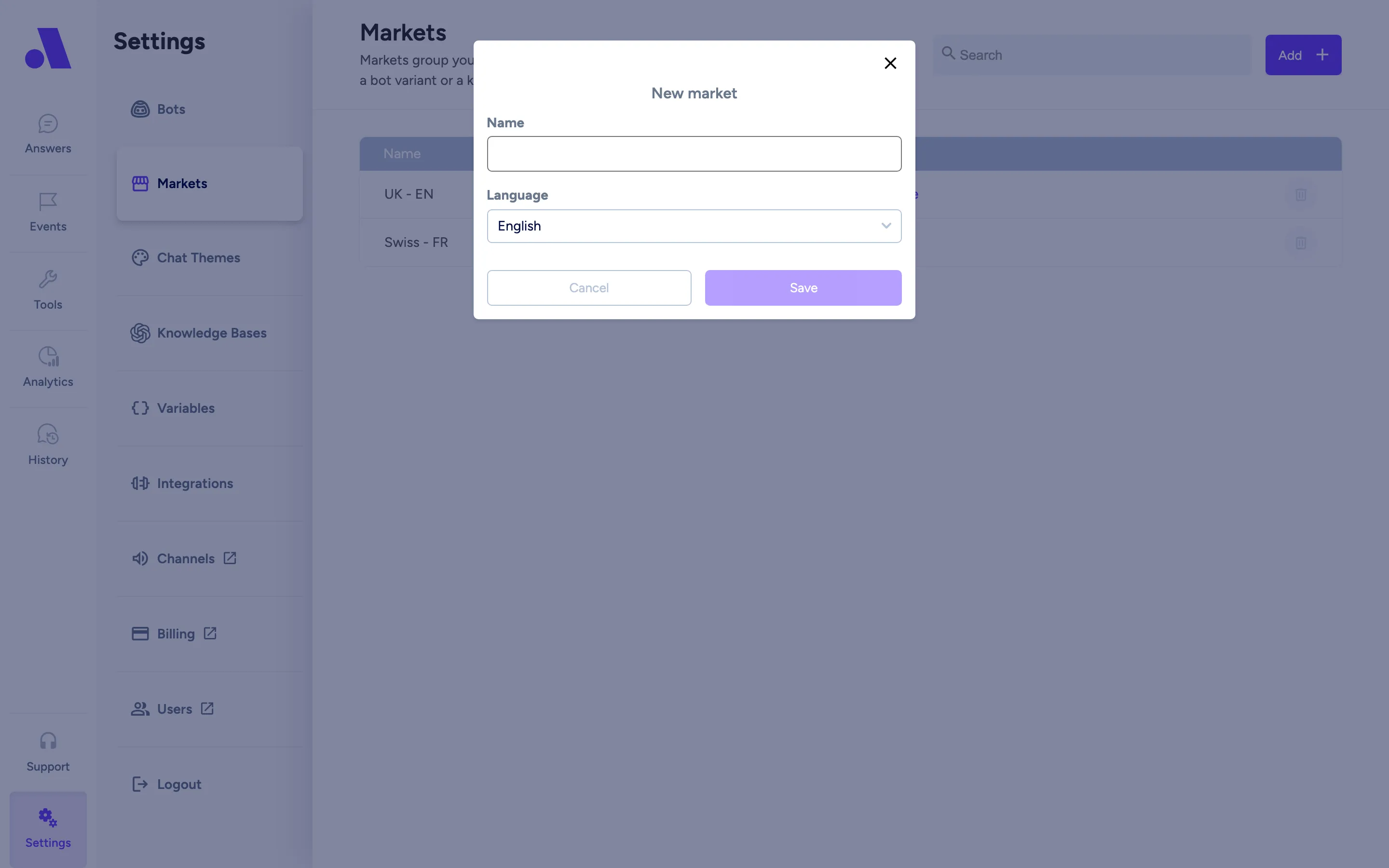
The table has the columns Name, Language and Used by. Used by shows how many bots and knowledge bases use the market, for example “2 bots · 1 knowledge base”. Markets that nothing uses show Not used.
What you can do here
Section titled “What you can do here”- Search markets by name or language with the search box.
- See which bots and knowledge bases use a market: click the Used by text to expand the row.
- Rename a market: click its name, type the new name and confirm. An empty name is rejected (“Name cannot be empty”).
- Delete a market that nothing uses.
Add a market
Section titled “Add a market”- Click Add in the top right.
- In the New market dialog, enter a Name and choose a Language.
- Click Save. A “Market created” message confirms it.
Delete a market
Section titled “Delete a market”- Click the bin icon on the market row. It shows the tooltip “Delete market”.
- Confirm in the Delete Market? dialog. It says the market is permanently deleted and cannot be undone.
If a bot or knowledge base still uses the market, the bin icon is greyed out and the tooltip reads “Used by (n bots and n knowledge bases), remove them first”. Remove the market from those first, then delete it.
Fields
Section titled “Fields”| Field | What it does |
|---|---|
| Name | The market’s name. Required. Click it in the table to rename. |
| Language | The market’s language. Required, chosen when you create the market and fixed afterwards. New bots in the market start with this language. |
| Used by | Bots and knowledge bases attached to the market. Expand it to see their names. Bots are shown under the name of the multi-market bot, not the individual market variant. |
| Timezone | Not set here. You choose a timezone in Bots when you attach the market to a bot that needs one. |