
Freshchat
The Freshchat integration lets the bot hand a conversation to your agents in Freshchat. The agents see the conversation and answer from Freshchat, and the answer reaches the customer in the channel they started in.
How it works
Section titled “How it works”- Amio support connects Freshchat to one of your bot’s channels. You cannot create this integration yourself in the admin. Write to support@amio.io and send the details listed below.
- When the bot reaches Call Operator, Amio creates a conversation in Freshchat. It starts with the history of the chat so far, so your agent sees what the customer already asked.
- While the conversation is handed over, the customer’s text and images go to the Freshchat agent. The agent’s text, images and files go back to the customer.
- When the agent resolves the conversation in Freshchat, the bot’s Chat Ended event runs. Use it, for example, to ask for feedback. See How the bot works.
- Button and quick reply clicks (postbacks) are not forwarded to Freshchat.
What you need
Section titled “What you need”You need a Freshchat account on a paid plan with at least two users.
What to send to Amio support
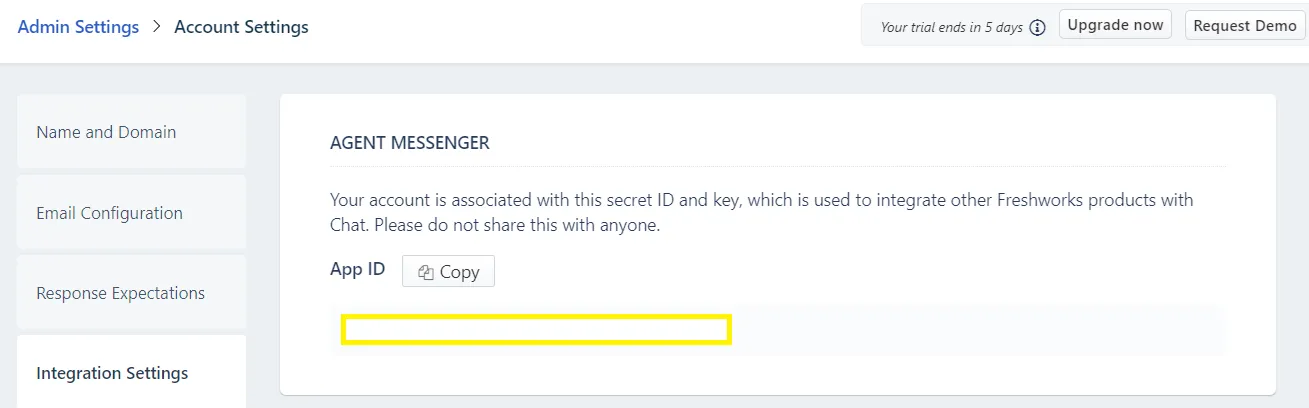
Section titled “What to send to Amio support”The screenshots show an older version of Freshchat, so the menus may look different.
Collect these four values in Freshchat and send them to support with the name of the Amio channel to connect.
-
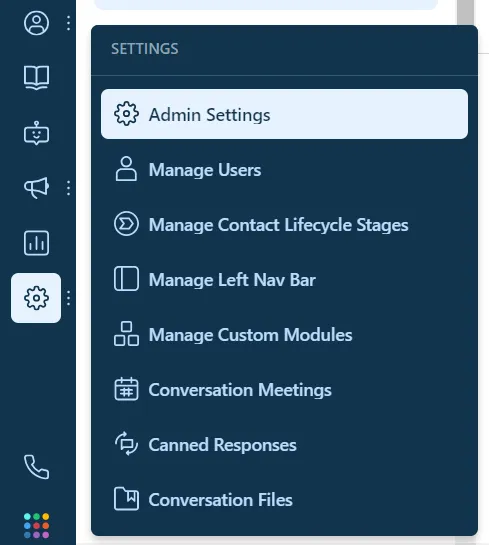
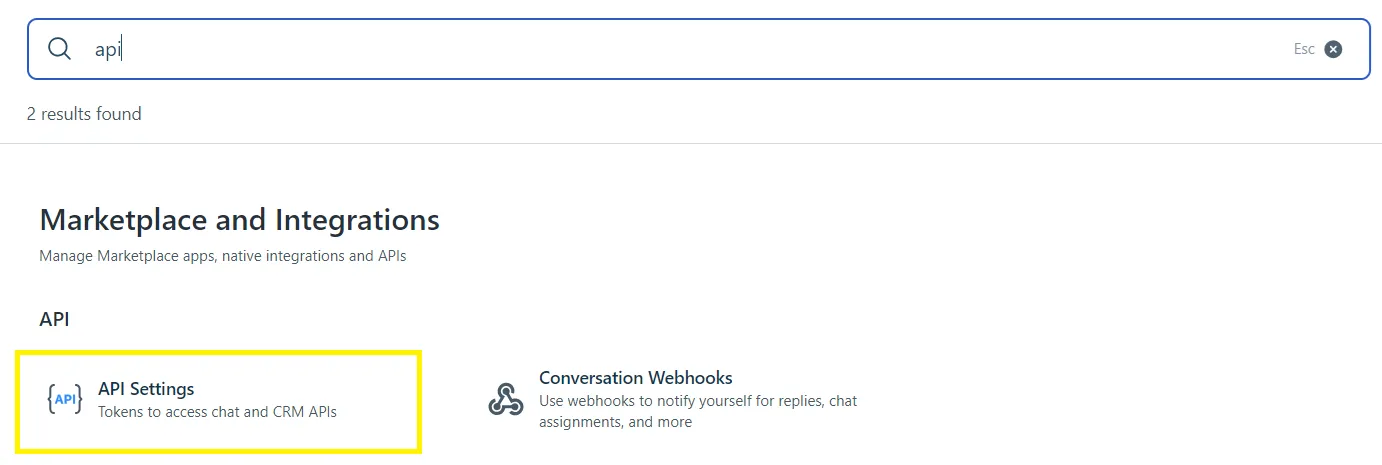
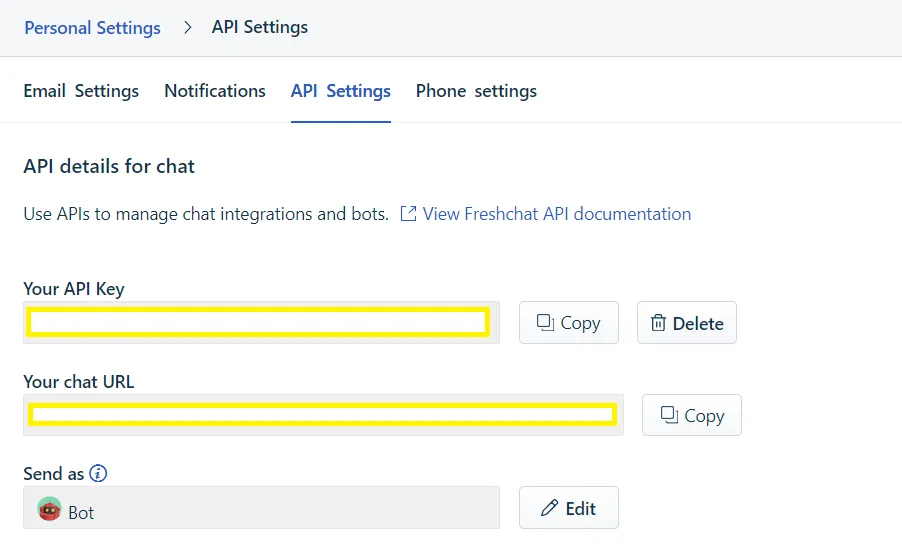
API key. In Freshchat, open Settings, then Admin Settings. Search for API Settings and copy the API key.
-
API URL. On the same page, copy the chat URL, for example
https://yourcompany.freshchat.com/v2. -
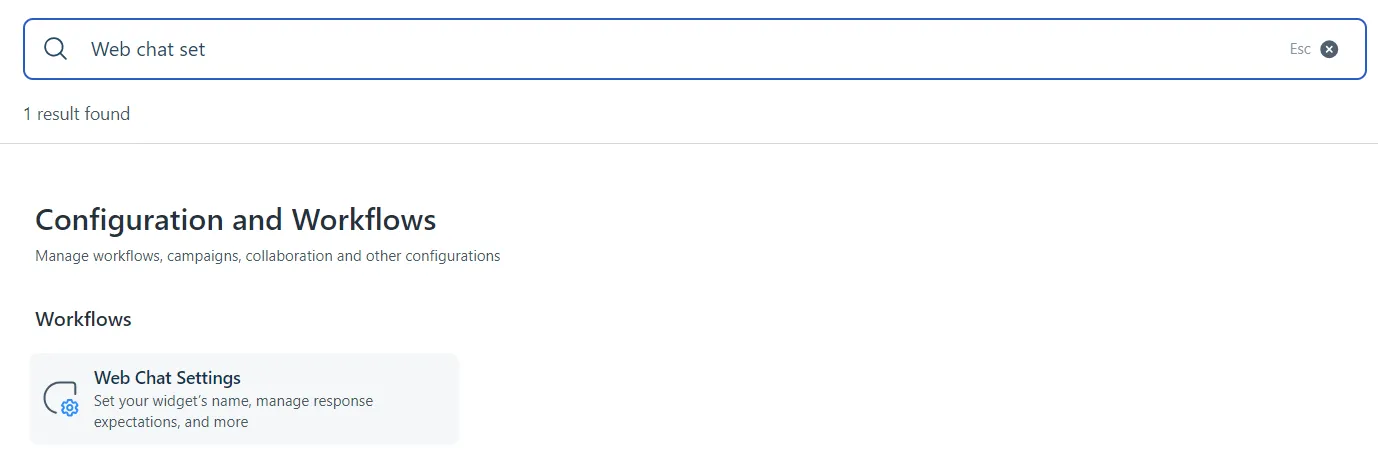
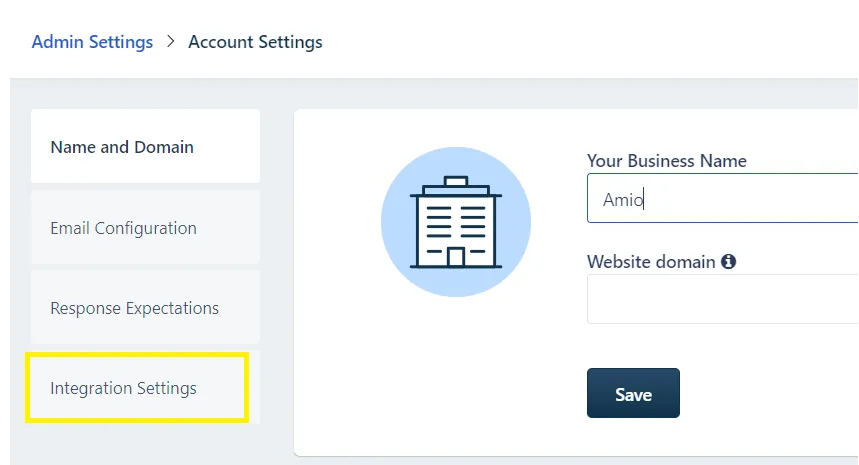
App ID. Search for Web Chat Settings, open Integration Settings and copy the App ID.
-
Channel ID. The Freshchat channel where the handed-over conversations should appear. To find it, call
GET https://<your Freshchat domain>/v2/channels?items_per_page=50with your API key as a bearer token, and copy theidof the channel you want.
Support may also ask for an agent ID. It is optional.
Set up the webhook in Freshchat
Section titled “Set up the webhook in Freshchat”Freshchat has to tell Amio when an agent answers or resolves a conversation.
-
In Freshchat, open Settings, then Admin Settings.
-
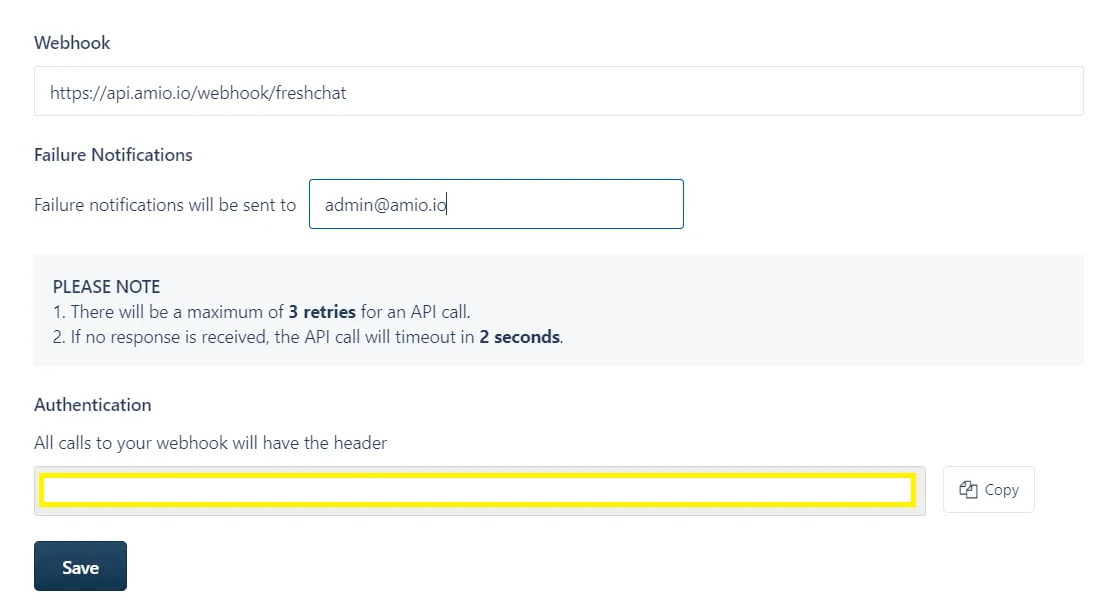
Search for Conversational Webhooks.
-
Set the webhook URL to
https://api.amio.io/webhook/freshchat. -
Enter an email address that should receive failure notifications.
-
Save. Amio uses the new-message events from agents and the conversation-resolved event.
Send customer details to Freshchat (webchat)
Section titled “Send customer details to Freshchat (webchat)”When the channel is webchat, you can fill in the Freshchat user from your page with setMetadata. Put the fields in a freshchat_user object. All fields are optional. They are applied when the Freshchat conversation is created.
window.amioWebchat.init({  channelId: 'YOUR_CHANNEL_ID',  externalContactId: 'your-user-id'})
window.amioWebchat.setMetadata({  freshchat_user: {    reference_id: 'your-user-id',    email: 'customer@example.com',    first_name: 'Jana',    last_name: 'Novakova',    phone: '+420123456789'  }})
externalContactId is optional. It keeps the history the same when the customer returns from another device or browser.