
Daktela chat integration
The Daktela Chat integration connects a bot to the web chat connector in Daktela, so a conversation can be handed from the bot to a human operator there.
This is an integration, not a channel. Your bot needs a channel first, usually webchat.
Prerequisites
Section titled “Prerequisites”- A bot deployed to at least one channel. Without a deployed channel, creating the integration fails with an error asking you to deploy the bot first.
- A Daktela instance with a web chat connector.
- The access token of that connector. In Daktela go to Manage, Routings, Web chats, select a connector and use the Get Code button.
Steps in the admin
Section titled “Steps in the admin”- Open Integrations and choose to create a new integration. See Integrations.
- Set Type to Daktela Chat.
- Enter the Daktela URL and the Access Token.
- Choose the Bots the integration applies to.
- Select Create Integration.
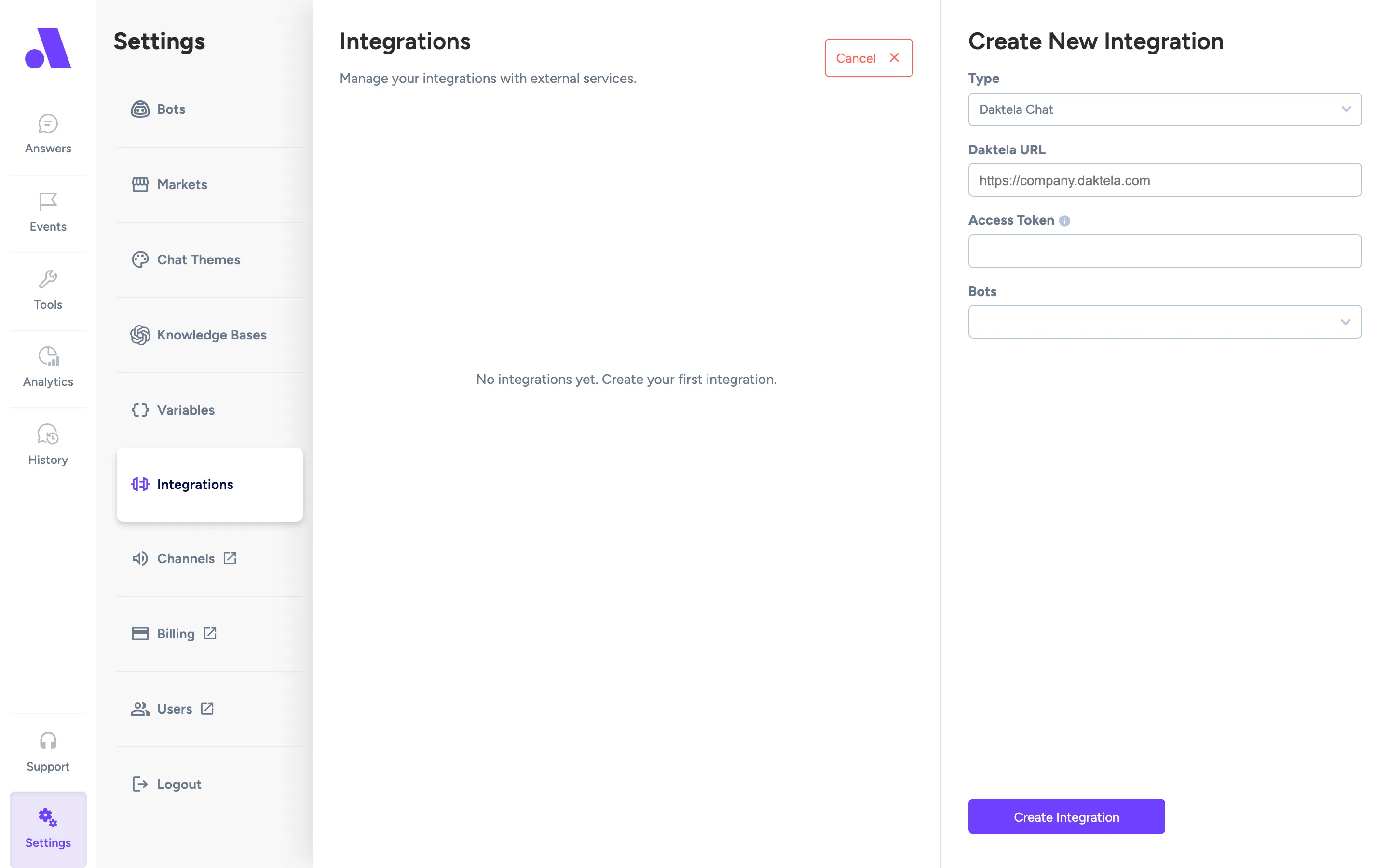
The integration attaches to every channel the selected bot is deployed to. If you later change the bot, it switches to the channels of the new bot.
Configuration fields
Section titled “Configuration fields”| Field | Required | What it does |
|---|---|---|
| Type | Yes | Daktela Chat. |
| Daktela URL | Yes | Address of your Daktela instance, for example https://company.daktela.com. |
| Access Token | Yes | Token of the Daktela web chat connector. |
| Bots | Yes | The bot whose conversations are handed over. |