
Integrations
Use Integrations (Settings, /settings/integrations) to manage connections with external services. The two types you can create are Email and Daktela Chat. Freshchat, SupportBox, Genesys, Salesforce and Smartsupp are connected by Amio support, see Choosing a channel. For setup walkthroughs, see Email helpdesk, Daktela and Freshchat.
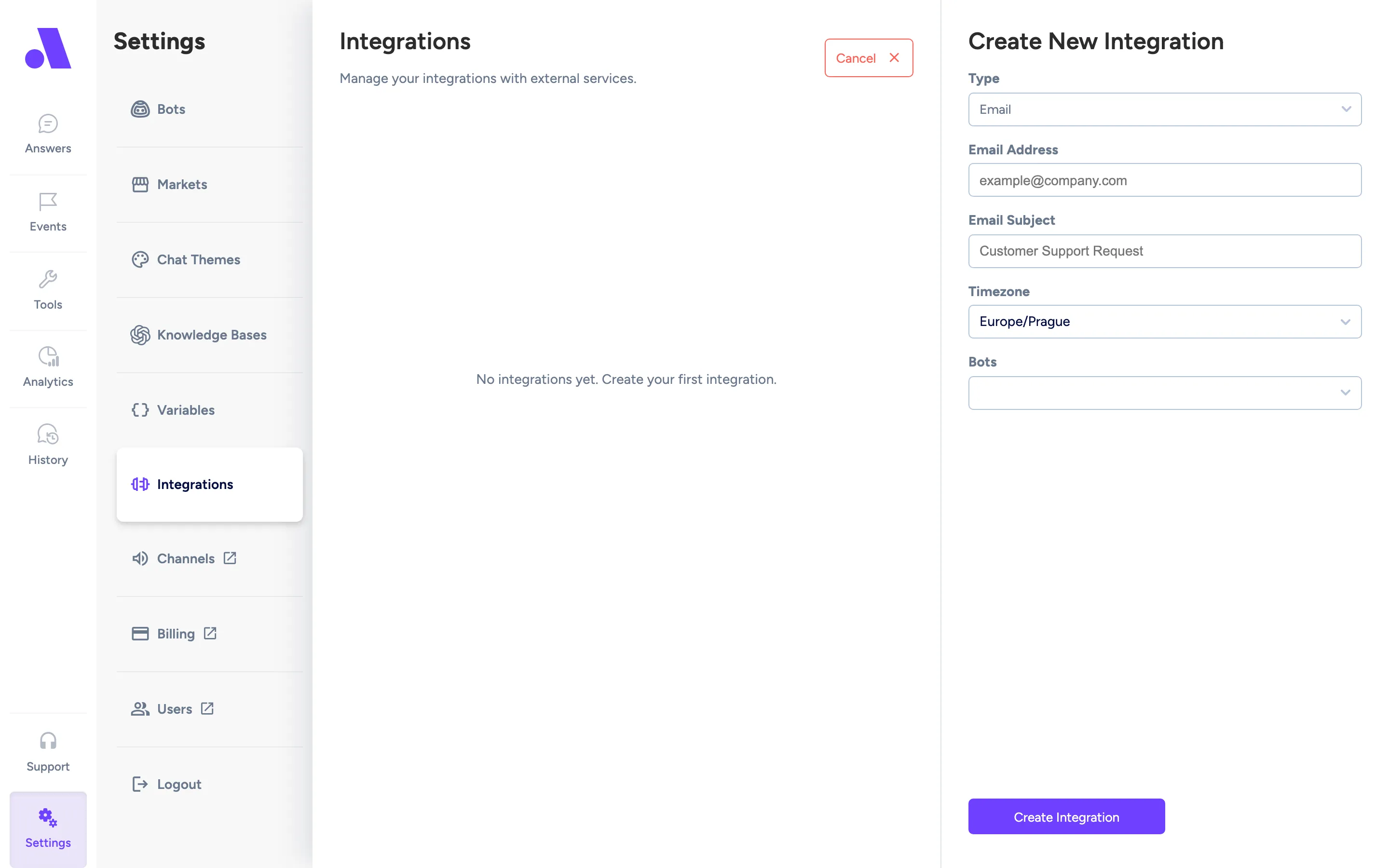
What you can do here
Section titled “What you can do here”- See all integrations, with the bot each belongs to and its number of channels.
- Create, edit and delete an integration.
- Open an integration’s channels. The list expands to show them, and selecting one highlights it (the address includes
/channel/<id>).
The first integration is opened automatically when you visit the page.
Create an integration
Section titled “Create an integration”- Click Add. The form is titled Create New Integration.
- Choose a Type: Email or Daktela Chat.
- Fill in the type’s fields (see Fields).
- Choose a bot under Bots. This is required: the form shows “Bot is required” otherwise. If no bots exist, it says “No bots available. Please create a bot first.”
- Click Create Integration.
Edit an integration
Section titled “Edit an integration”Select it in the list. The Type is fixed. Change the fields and click Save Changes. An integration of a type this admin does not support shows an “Unknown Integration Type” notice and cannot be edited.
Delete an integration
Section titled “Delete an integration”Open the three-dot menu on the integration and choose delete, then confirm Delete Integration. The dialog says this permanently deletes the integration and cannot be undone.
Fields
Section titled “Fields”| Field | What it does |
|---|---|
| Email Address | The address the integration uses, for example example@company.com. |
| Email Subject | Subject line, for example “Customer Support Request”. |
| Timezone | Timezone for the integration. |
| Bots | The bot this integration belongs to. |
Daktela Chat
Section titled “Daktela Chat”| Field | What it does |
|---|---|
| Daktela URL | Your Daktela address, for example https://company.daktela.com. The URL is normalised when you leave the field. |
| Access Token | Token from Daktela. When creating, the tooltip says: find your access token in Manage - Routings - Web chats - select a Connector - Get Code button. |
| Bots | The bot this integration belongs to. |