
Email help desk integration
The Email integration sends a conversation to an email address when the bot hands over to a person. Your support team then contacts the customer from their mailbox or help desk.
The email is sent once, at handover (an answer ending with Call Operator). It contains the whole conversation so far and the answer that triggered the handover, with times in the timezone you set. It is one-way: replies to this email do not reach the customer in the chat, and the integration does not trigger the Chat Ended or Chat Timeout events.
Prerequisites
Section titled “Prerequisites”- A bot deployed to at least one channel. Without one, creating the integration fails with an error asking you to deploy the bot first.
- The email address of the mailbox or help desk that should receive the messages.
Steps in the admin
Section titled “Steps in the admin”- Open Integrations and choose to create a new integration. See Integrations.
- Set Type to Email.
- Fill in the Email Address, the Email Subject and the Timezone.
- Choose the Bots the integration applies to.
- Select Create Integration.
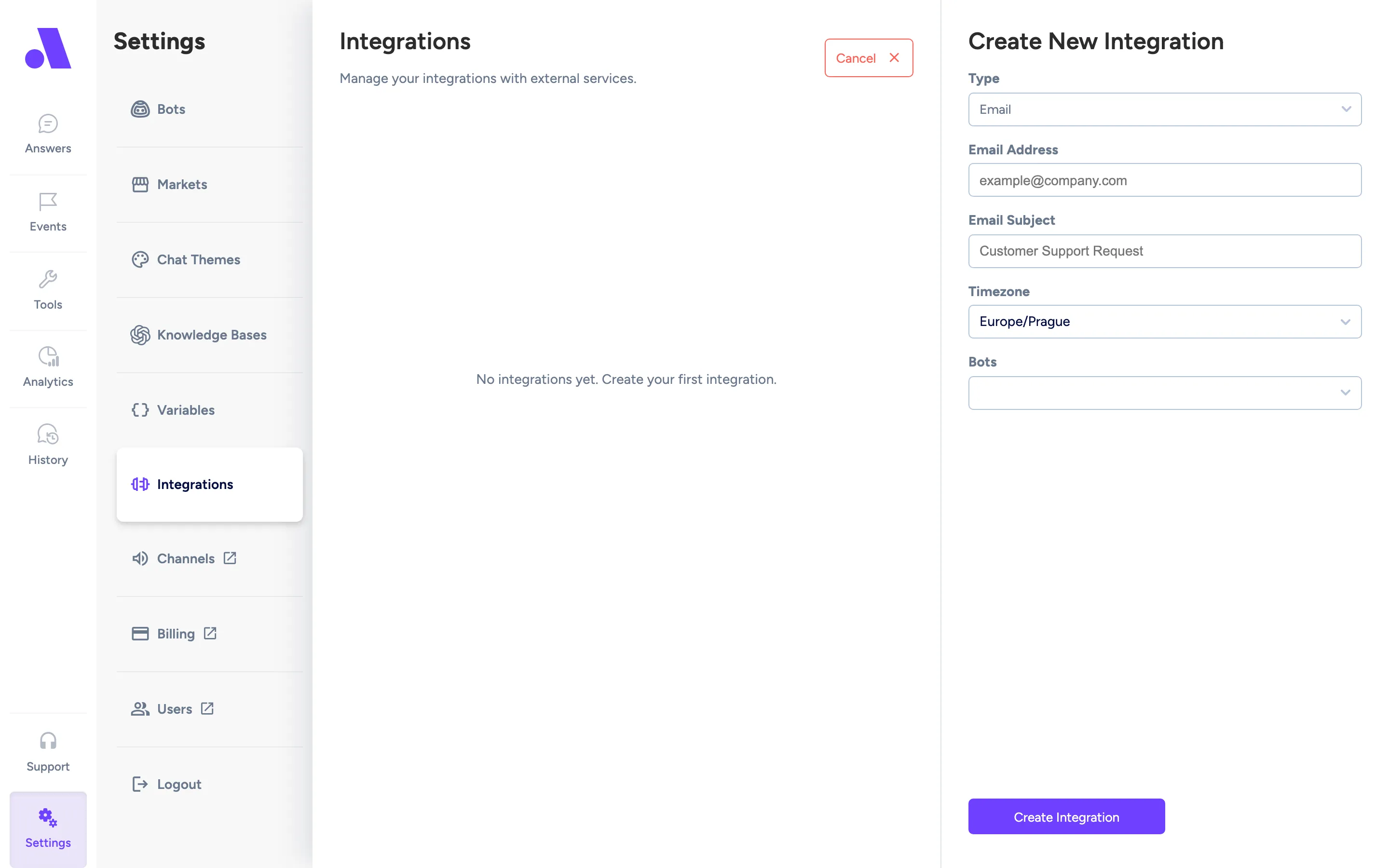
The integration attaches to every channel the selected bot is deployed to.
Configuration fields
Section titled “Configuration fields”| Field | Required | What it does |
|---|---|---|
| Type | Yes | Email. |
| Email Address | Yes | Where the messages are sent. Must be a valid email address. |
| Email Subject | Yes | Subject line of the emails. |
| Timezone | Yes | Timezone used for times in the emails. Default is Europe/Prague. |
| Bots | Yes | The bot whose conversations are sent. |