
Choosing a channel
A channel is a place where customers talk to your bot. An integration sends conversations on to another system, such as your help desk.
Channels
Section titled “Channels”Which channels you can use depends on the bot type. A chat bot works on the chat channels. An email bot works on the Daktela email channel.
| Channel | Bot type | What it is | Set up by | Page |
|---|---|---|---|---|
| Amio Chat (webchat) | Chat | Chat window on your website | You, in the admin | Webchat |
| Chat | Conversations on your WhatsApp Business number | Amio support | ||
| Facebook Messenger | Chat | Messages to your Facebook page | Amio support | Messenger |
| Telegram | Chat | Messages to your Telegram bot | Amio support | Telegram |
| Daktela Email | Emails from a Daktela queue | You, in the admin |
Viber, SMS and RCS channels exist only in the legacy Messaging API. Bots cannot be deployed to them.
What works on which channel
Section titled “What works on which channel”Not every channel can show everything a bot sends. Plan your answers for the channels you use.
| Webchat | Messenger | Telegram | Daktela Email | ||
|---|---|---|---|---|---|
| Buttons | Yes, up to 3 | Ask support | Yes, up to 3 | Yes, up to 3 | No |
| Quick replies | Yes | Ask support | Yes | Yes | No |
| Product cards from product recommendations | Yes | Sent as text | Sent as text | Sent as text | Sent as text |
| Structured input fields in AI answers | Yes | No | No | No | No |
| Typing indicator | Yes | No | Yes | No | No |
| Images and files from the bot | Yes | Ask support | Yes | Yes | Yes |
| Handover to a person | Yes | Yes | Yes | Yes | Yes, the ticket goes to an operator |
Files a customer sends are kept in the conversation history on every channel, but the bot does not read them.
Integrations
Section titled “Integrations”An integration passes conversations to the tool your operators work in. Handover starts when an answer ends with Call Operator, see Handing over to a person.
| Integration | What it does | Set up by | Page |
|---|---|---|---|
| Daktela Chat | Hands chats over to operators in Daktela. Operators reply from Daktela. | You, in the admin | Daktela |
| Email (help desk) | At handover, sends one email with the conversation to your support address. Replies do not go back to the chat. | You, in the admin | Email help desk |
| Freshchat | Hands chats over to operators in Freshchat. Operators reply from Freshchat. | Amio support | Freshchat |
| SupportBox | Creates a SupportBox ticket at handover. Operators reply from SupportBox, as text. | Amio support | |
| Genesys | Hands chats over to operators in Genesys. Operators reply as text. | Amio support | |
| Salesforce | Hands chats over to Salesforce chat agents. Operators reply as text. | Amio support | |
| Smartsupp | Copies customer messages into Smartsupp so operators can follow and reply. It does not react to Call Operator. | Amio support |
To connect an integration set up by Amio support, write to support@amio.io. It then shows in your Integrations list as “Unknown Integration Type” and cannot be edited in the admin.
After a handover, the Daktela, Genesys and Salesforce integrations can trigger the Chat Timeout event, and all except Email and Smartsupp the Chat Ended event. See Events and blocks.
How a bot is deployed to a channel
Section titled “How a bot is deployed to a channel”You deploy from the bot’s channel list in Bots. Open the bot (or the market of a multi-market bot) and choose Add channel. The panel has two tabs.
- Create makes a new channel. You can create an Amio Chat channel or, for email bots, a Daktela Email channel.
- Deploy attaches a channel your organization already has. Each channel can serve one bot at a time. A channel that is already in use shows “Deployed to” and the bot’s name, and you can’t select it.
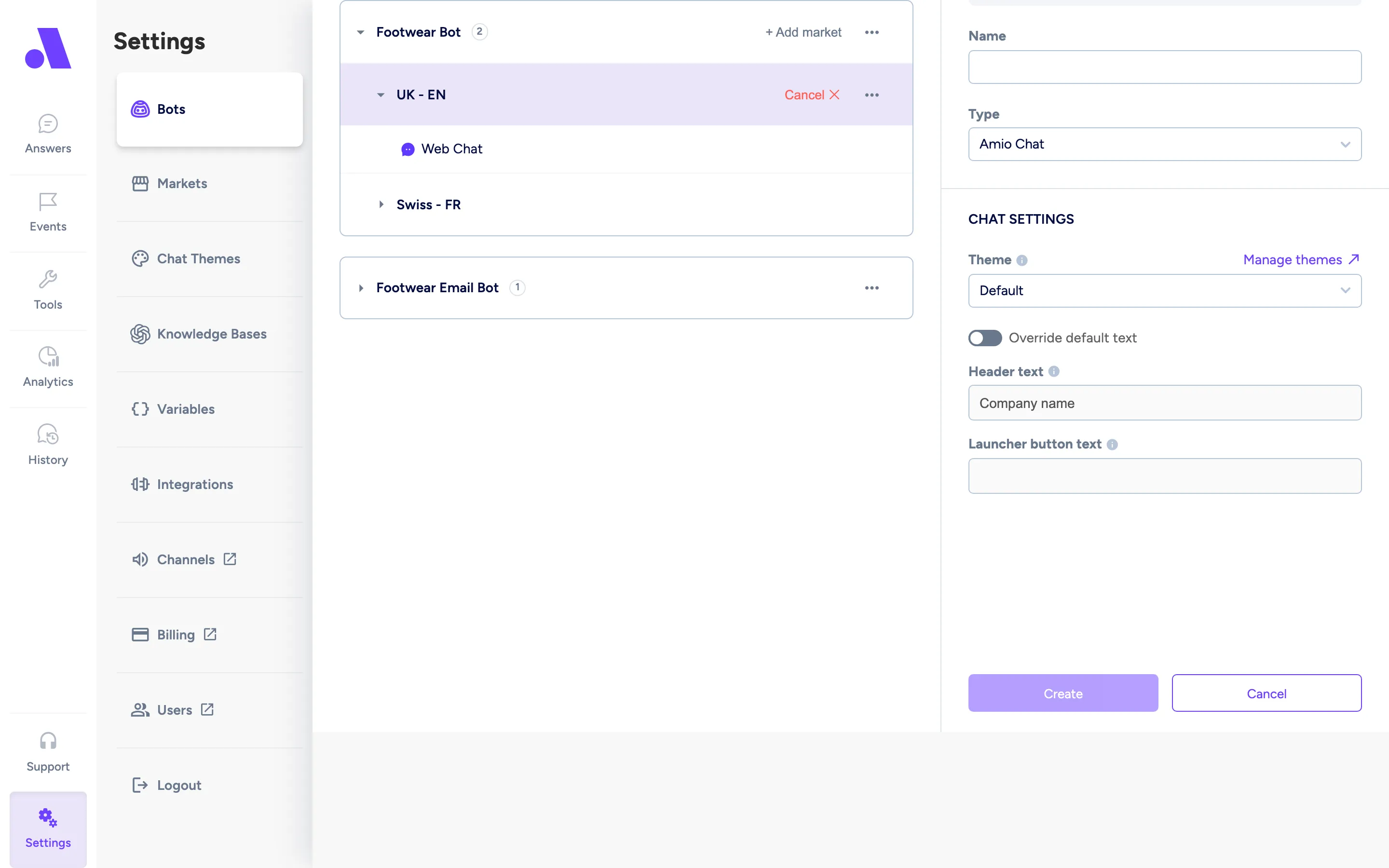
Integrations are set up under Integrations. See Integrations.